

Farm Details
Description
The Farm Details page provides an overview of your farm data and settings. You can view and edit your personal information, user settings, system settings, and dry matter correction settings.
Personal Information
Description
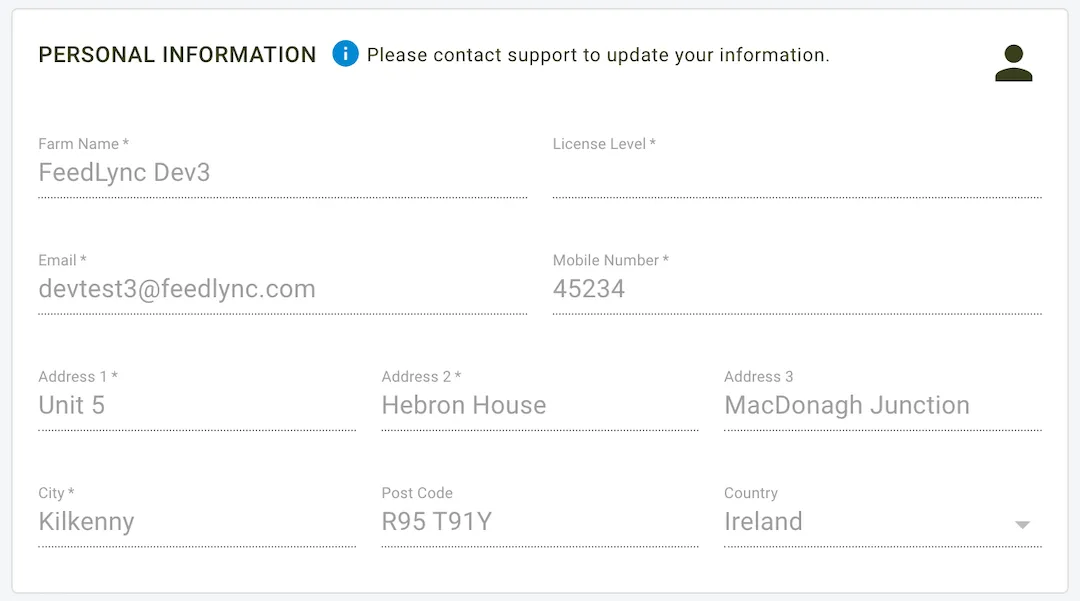
This section stores key details about the farm and contact information. These details are typically populated during the initial setup and are used across the system for identification and reporting purposes.
Fields
- Farm Name: The name of the farm.
- Email: The registered email address for the farm.
- License Level: Indicates the level of subscription or license.
- Mobile Number: Contact number associated with the account.
- Address: Fields to capture the farm’s address, including:
- Address 1
- Address 2
- Address 3 (optional)
- City
- Post Code
- Country
Notes
- Updates: If you need to update your personal information, please contact support.
User Settings
Description
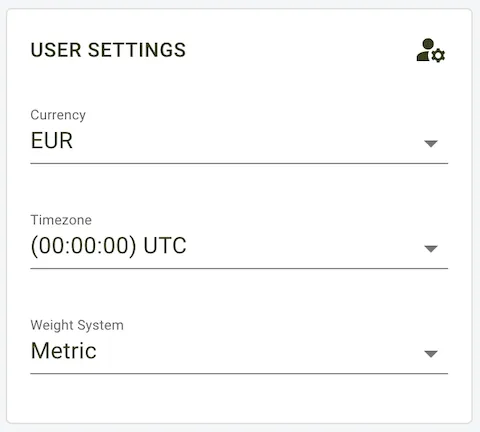
This subsection allows users to define preferences that customise their system experience.
Fields
- Currency: The currency used for reports and cost calculations.
- Timezone: The time zone applied to timestamps and logs.
- Weight System: Select between metric or imperial units for weight-based measurements.
System Settings
Description
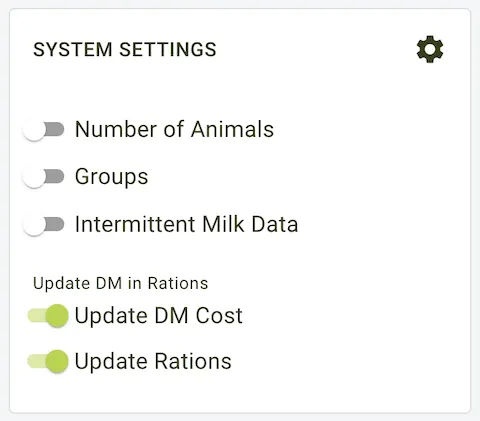
The System Settings section allows users to configure various system-wide settings that affect the overall operation of the platform.
Options
General settings that can be configured include:
- Number of Animals: TBD
- Groups: This option allows users to create groups of animals via the Groups page.
- Intermittent Milk Data: This option allows users to split the collected milk since the last collection.
Ration settings that can be configured include:
- Update DM Cost: This option allows users to update the dry matter cost for rations.
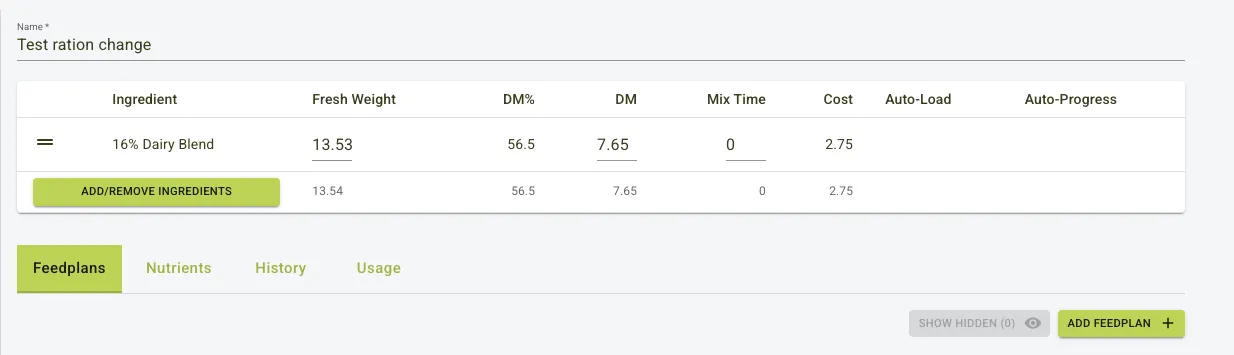
- Update Rations: When enabled, this feature automatically updates the fresh weight of an ingredient based on any changes to the ingredient Dry Matter Percentage (DM%). This happens after you’ve set the dry matter weight for that ingredient in a ration.
Update Rations
Before Update Ration
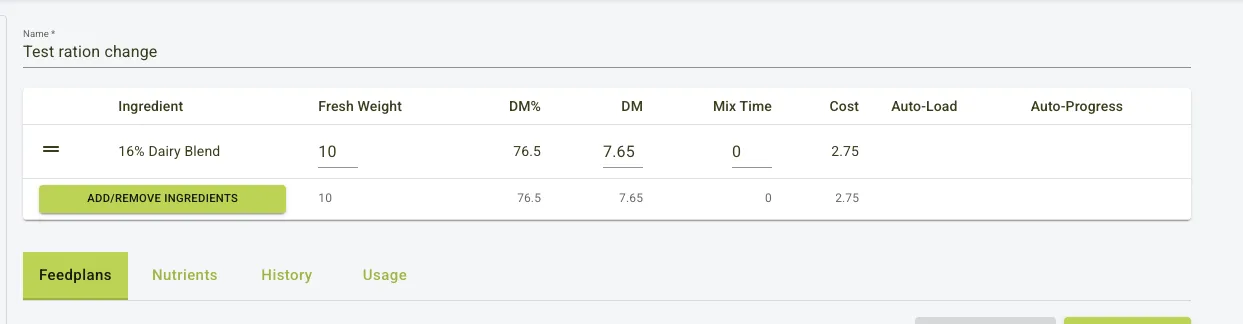
After Update Ration
Dry Matter Correction
Description
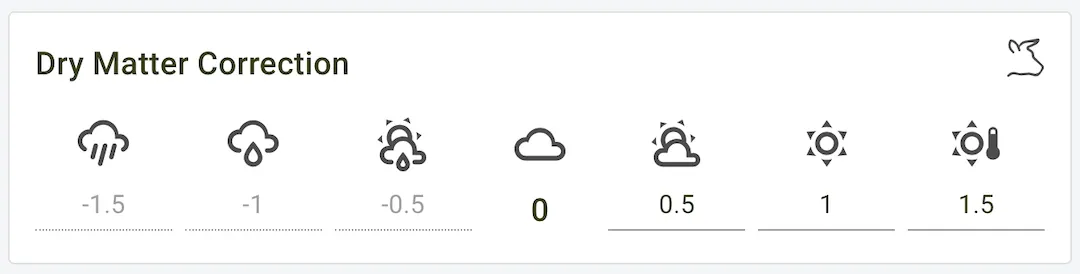
The Dry Matter Correction tool enables users to account for weather impacts on feed dry matter content. Adjustments can be made based on local weather conditions to ensure more accurate feed management.
This is effectively a weather correction factor for the portal that can be adjusted based on the current weather conditions. The system allows for a range of values to be set, which can be positive or negative, depending on the weather.
Usage
- Negative values: (e.g., – 2, – 1) correspond to rainy or humid conditions, where dry matter content is likely reduced.
- Positive values: (e.g., +1, +2) correspond to dry conditions, where dry matter content may be higher.
- Default Value: 0 is used when no weather adjustments are necessary.
Configuration
- Adjust the correction value by selecting the appropriate icon representing weather conditions.
- This value impacts feed calculations and can be tailored to the farmer’s discretion.
- This will be visible in the App to change
Use Case
- Ensures feed adjustments align with real-time weather, reducing feed waste and improving livestock nutrition.