Products
Description
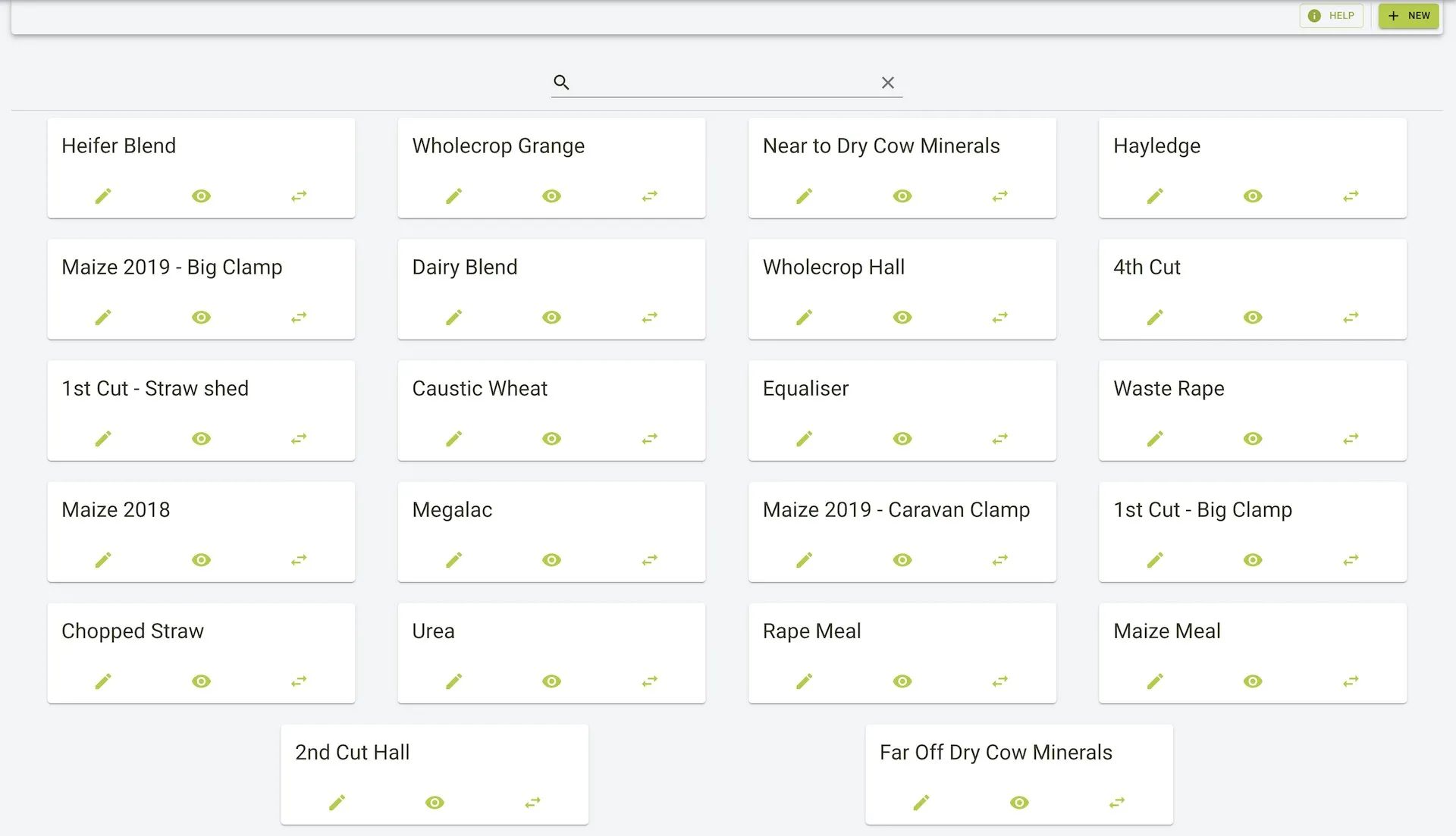
The Products page is where you can view and manage all products. You can add, edit, delete, and track stock events for each product.
Features
- Search or filter products to quickly find the right card.
- Add new products and edit core information, including:
- Name
- Dry matter (%)
- Nitrogen (g/Kg)
- Phosphorus (g/Kg)
- Custom 1
- Custom 2
- Open product history for an overview of changes.
- Create stock events directly from the product card.
- Delete products that are no longer needed.
Products page view
- Cards list each product with quick actions to edit, view history, or create a stock event.
- The search bar filters cards as you type.
Filtering products
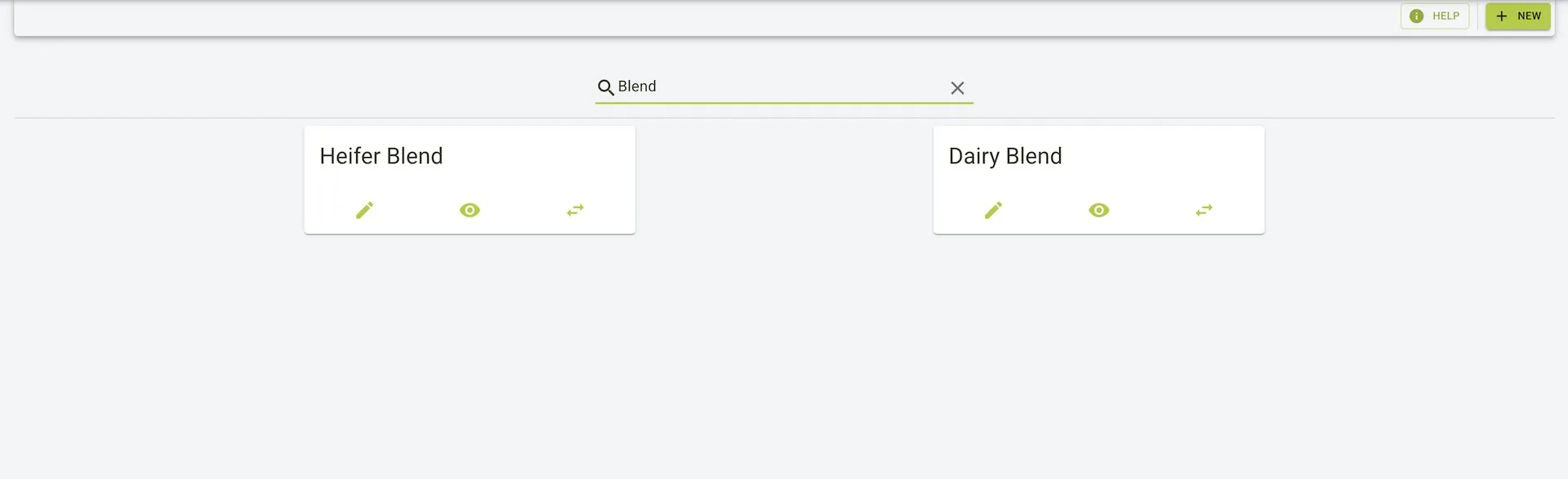
- Use the search bar to narrow the grid to matching names.
- Clear the filter with the X icon to return to the full list.
Editing a product
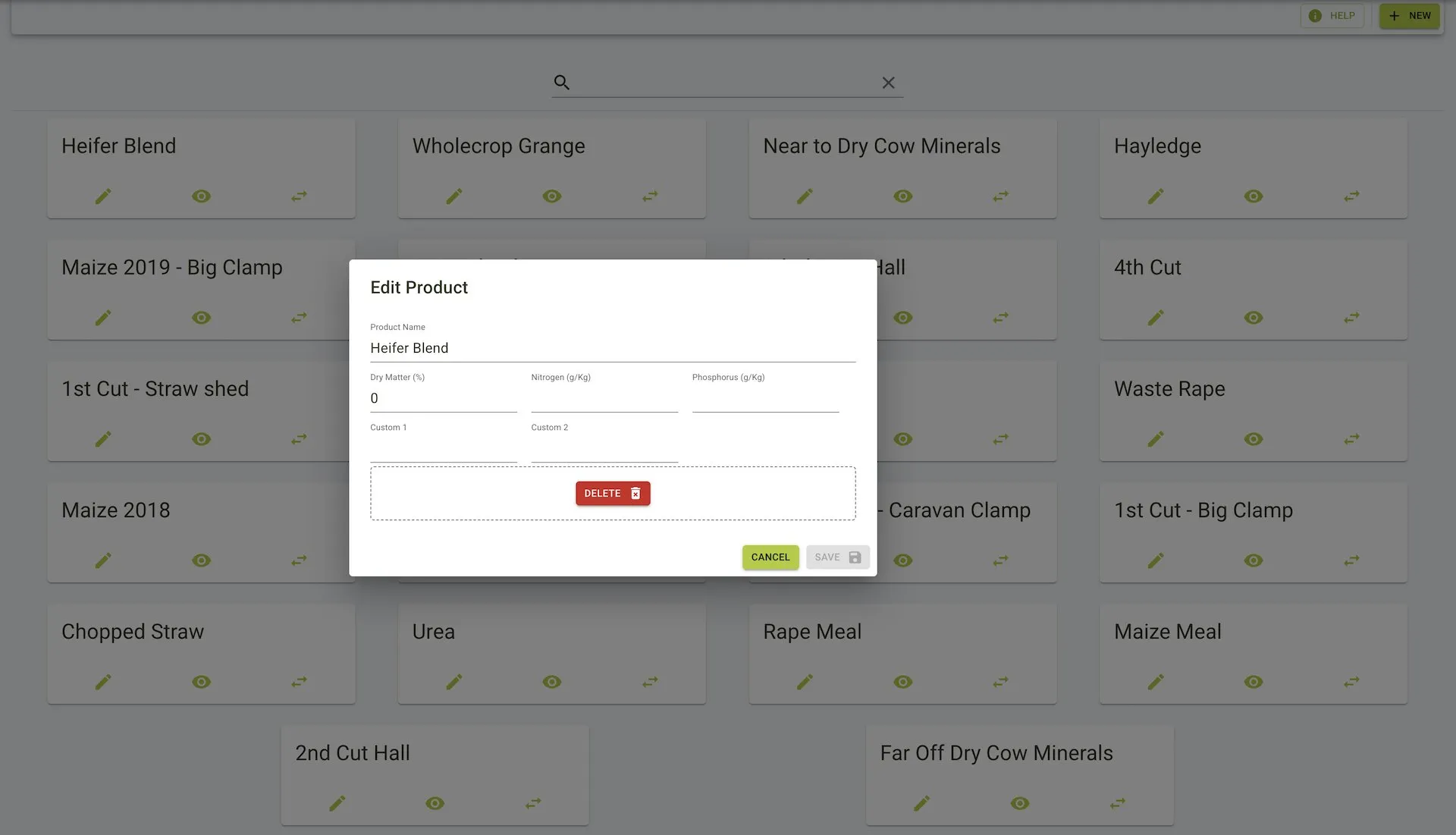
- Select the edit icon on a card to change core details (name, dry matter, nitrogen, phosphorus, custom fields) or delete the product.
- Save updates or cancel to discard changes.
Creating a stock event
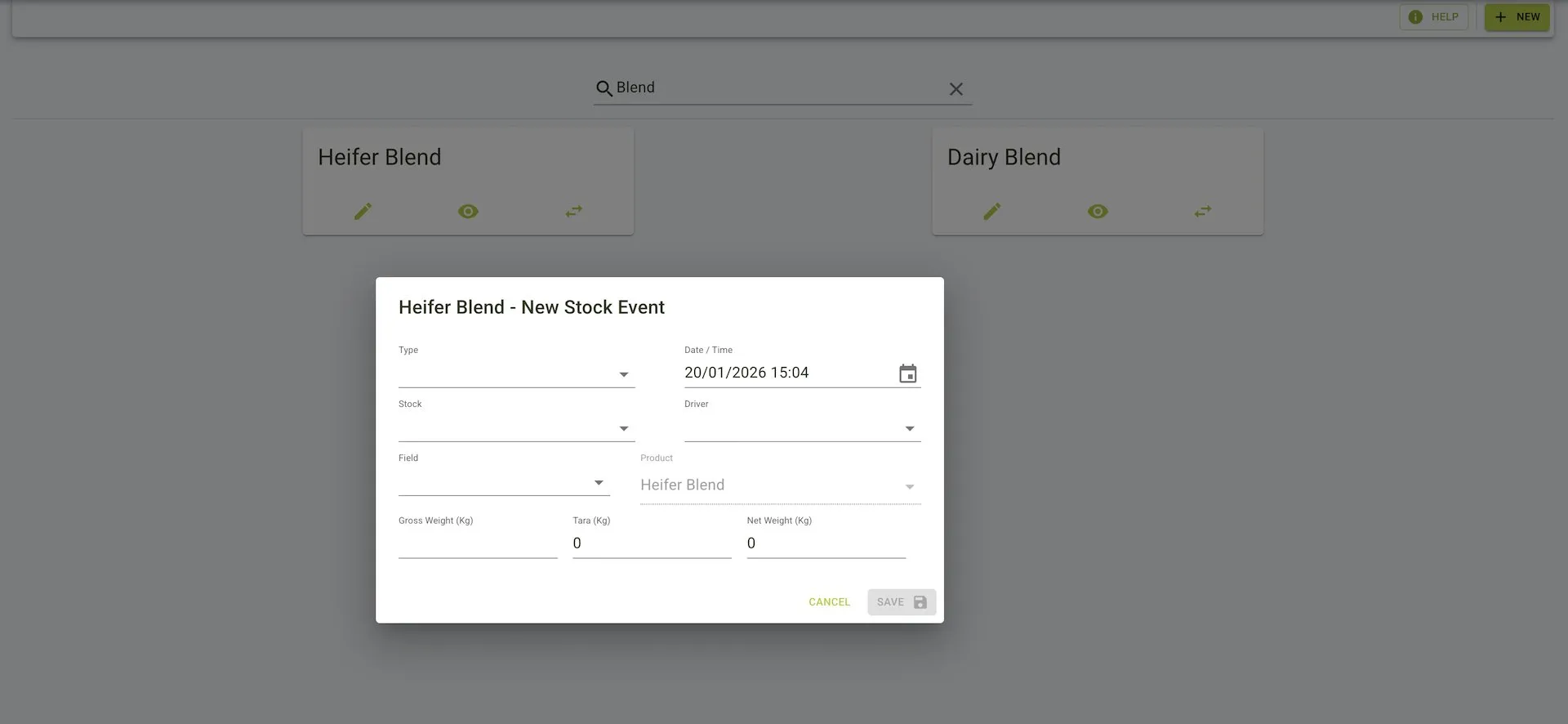
- From a product card, start a new stock event to record movements for that product.
- Enter the event type, date and time, stock location, field, driver, and weights (gross, tare, net) before saving.