

Mixer Wagons
Description
The Mixer Wagons settings page allows you to register, update, and maintain the mixer wagons used in your feeding operations.
Access
Settings → Mixer Wagons
- From here you’ll see the list of existing wagons and can create new ones or edit/delete existing records.
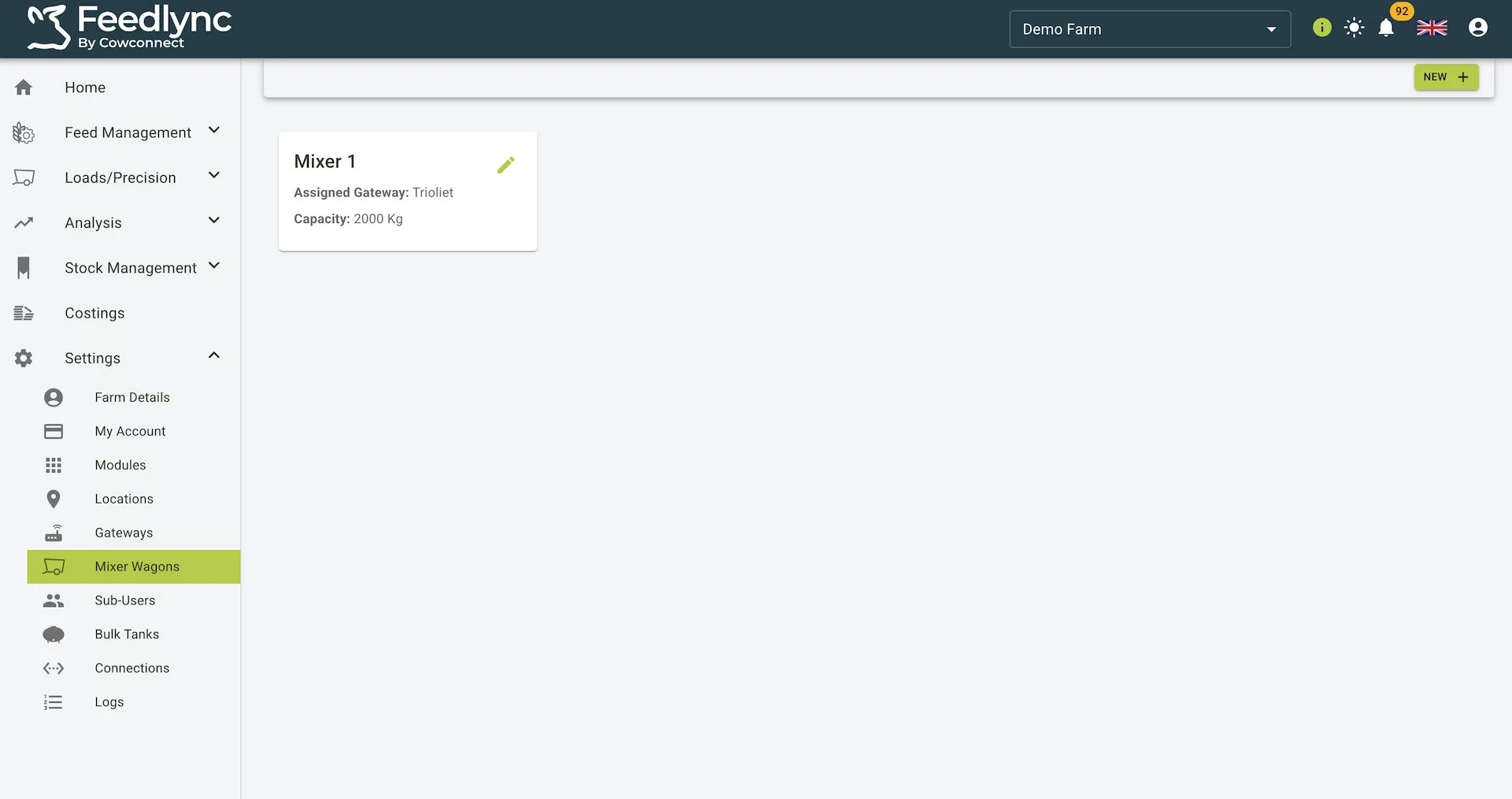 The Mixer Wagons list screen for quick navigation and management.
What you can do
- Create new mixer wagons.
- Edit wagon details (name, capacity, and device).
- Delete wagons that are no longer used.
- View all wagons in a single list.
Fields
- Name (required)
- The display name for the wagon (e.g., “Mixer 1”).
- Capacity (required)
- Numeric value representing the wagon capacity. Validation: > 0.
- Units are driven by your user settings (e.g., kg, lbs, L).
- Device (optional)
- Select from a list of restricted gateway types (type IDs ≤ 59). The dropdown automatically disables devices that are already assigned to another mixer wagon. Leave empty if not required.
Save is enabled only after all required fields are filled.
Create a mixer wagon
- Open Settings → Mixer Wagons.
- Select
New. - Enter the required fields (Name and Capacity). Optionally select a Device.
- Click
Save.
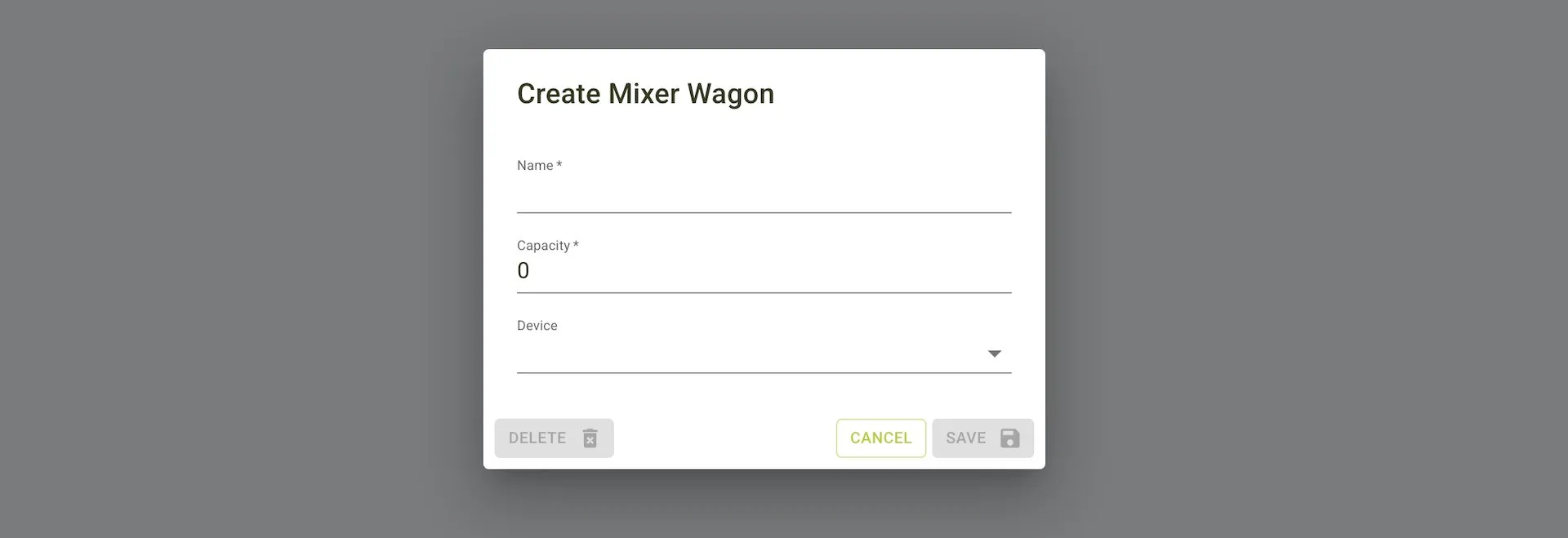 Create dialog: required fields with Save disabled until valid.
Edit a mixer wagon
- From the list, select the wagon you want to edit.
- Update Name, Capacity, or Device.
- Click
Saveto apply changes orCancelto discard.
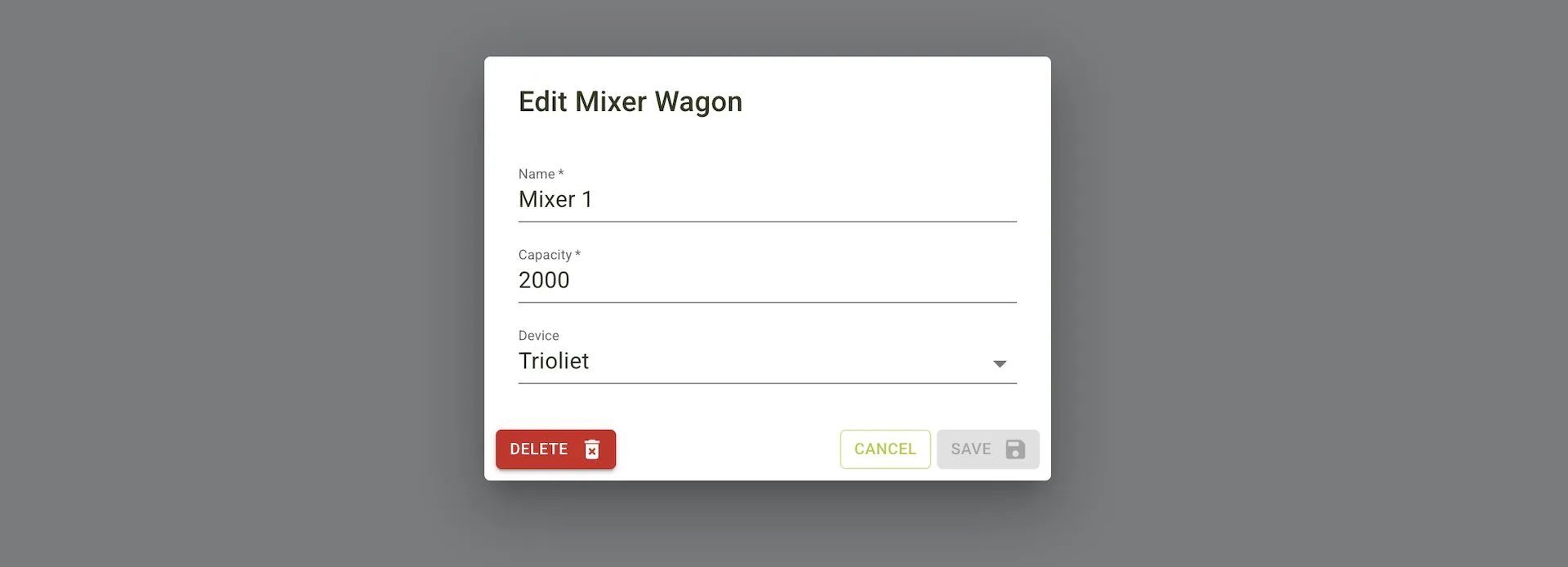 Edit dialog: Delete is available on existing wagons. Save remains disabled until changes are valid.
Delete a mixer wagon
- Open the wagon in Edit.
- Click
Delete. - Confirm the action when prompted.
Deleting removes the wagon from your list immediately.