

Loaded Mixes
Description
The Loaded Mixes page provides a comprehensive analysis of feed mixes loaded during a specific period. It includes two primary tabs: By Ingredient and By Day, offering detailed insights into ingredients used, their weights, costs, and other metrics. This feature is essential for monitoring feed usage, costs, and operator performance.
Key Features
By Ingredient
Main Features
- Displays all ingredients used in loaded mixes with detailed metrics
- Includes expandable rows showing ingredient-specific data over time
- Shows comprehensive cost analysis for each ingredient
- Provides both fresh weight and dry matter metrics
By Ingredient Tab View
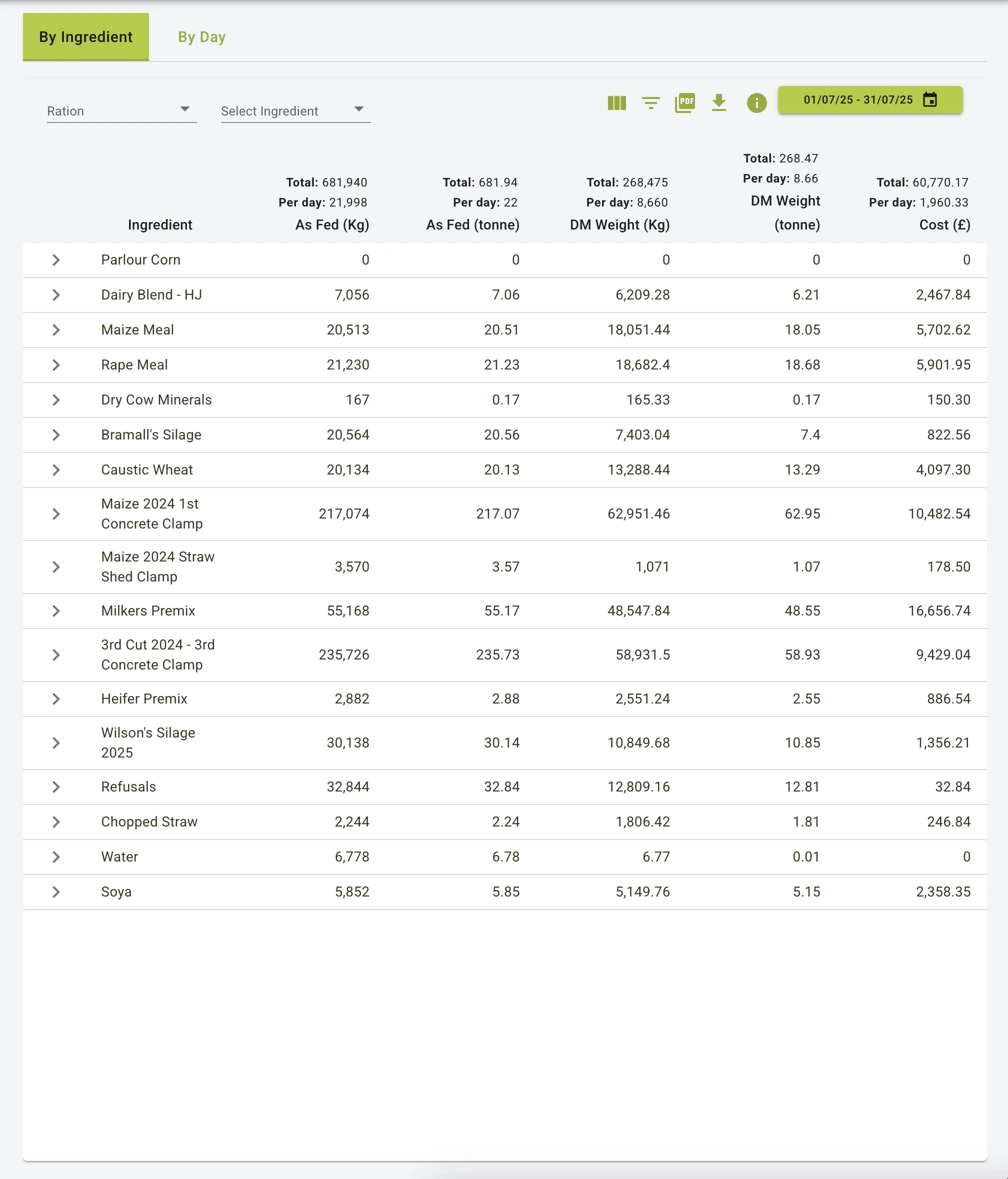
Filters and Navigation
- Date Range Selector: Select a specific date range for analysis (e.g., 01/07/25 - 31/07/25)
- Ration Filter: Filter data by specific rations
- Ingredient Filter: Select specific ingredients for focused analysis
- View Options: Toggle between different data visualization formats
Summary Metrics
Each ingredient row displays important metrics including:
- As Fed (Kg): Total weight of the ingredient as fed
- As Fed (tonne): Total weight converted to tonnes
- DM Weight (Kg): Total dry matter weight of the ingredient
- DM Weight (tonne): Dry matter weight in tonnes
- Cost (£): Total cost of the ingredient used
- Daily Averages: Per day calculations for each metric
Expandable Ingredient Details
Clicking on any ingredient row reveals additional detailed information:
Expanded Ingredient View
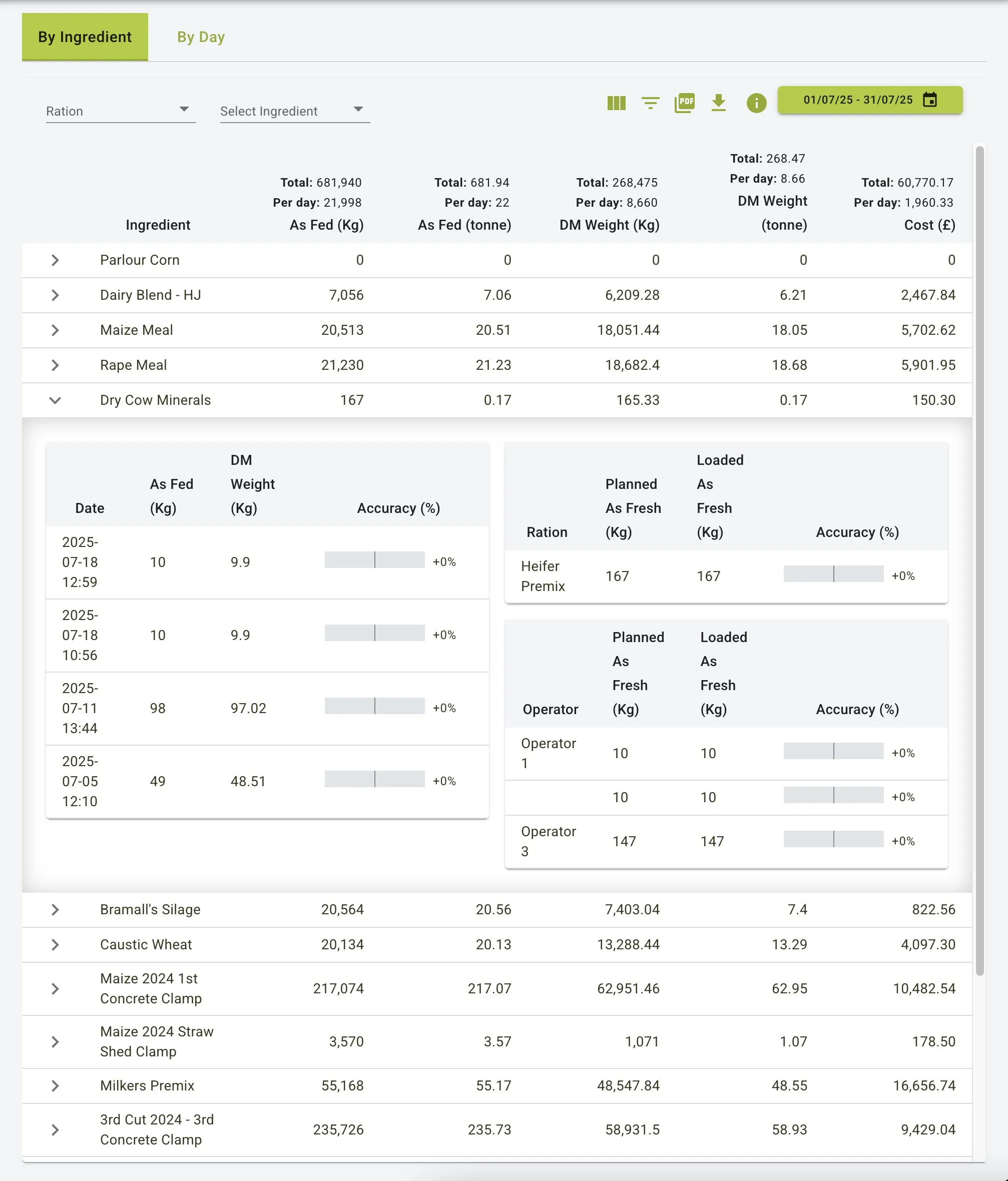
When expanded, each ingredient shows:
- Date: Specific dates the ingredient was used
- As Fed (Kg): Weight as fed on that specific date
- DM Weight (Kg): Dry matter weight for that date
- Accuracy (%): Visual indicator showing loading accuracy percentage
Further breakdowns include:
- Ration Analysis: Which rations used the ingredient with planned vs. loaded weights
- Operator Performance: Loading accuracy by individual operators
Filtering by Ration
Users can filter data by selecting specific rations from the dropdown menu:
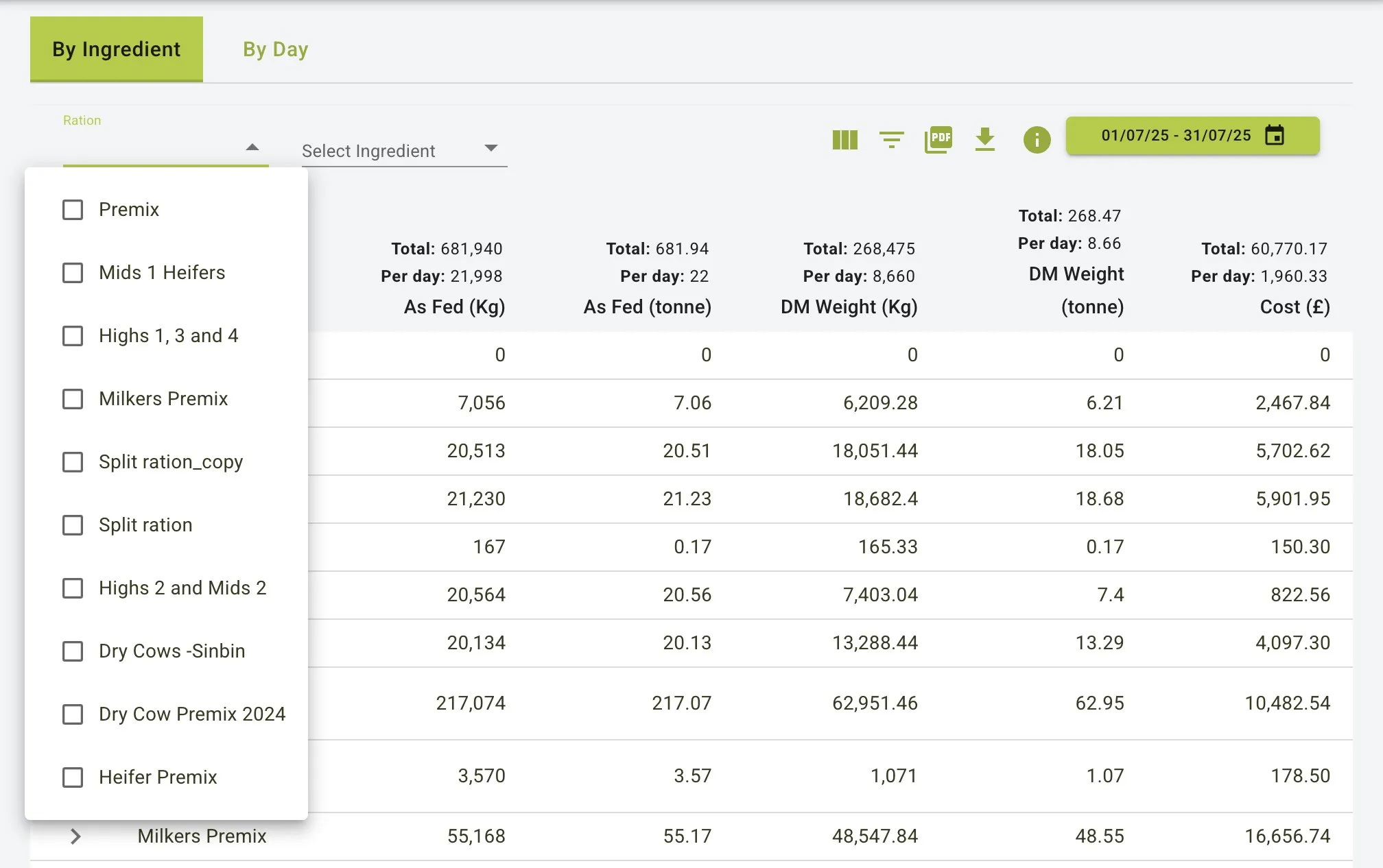
Available rations include various premixes and feed groups such as:
- Premix
- Mids 1 Heifers
- Highs 1, 3 and 4
- And more based on farm setup
Ingredient Selection
Filter by specific ingredients using the ingredient dropdown:
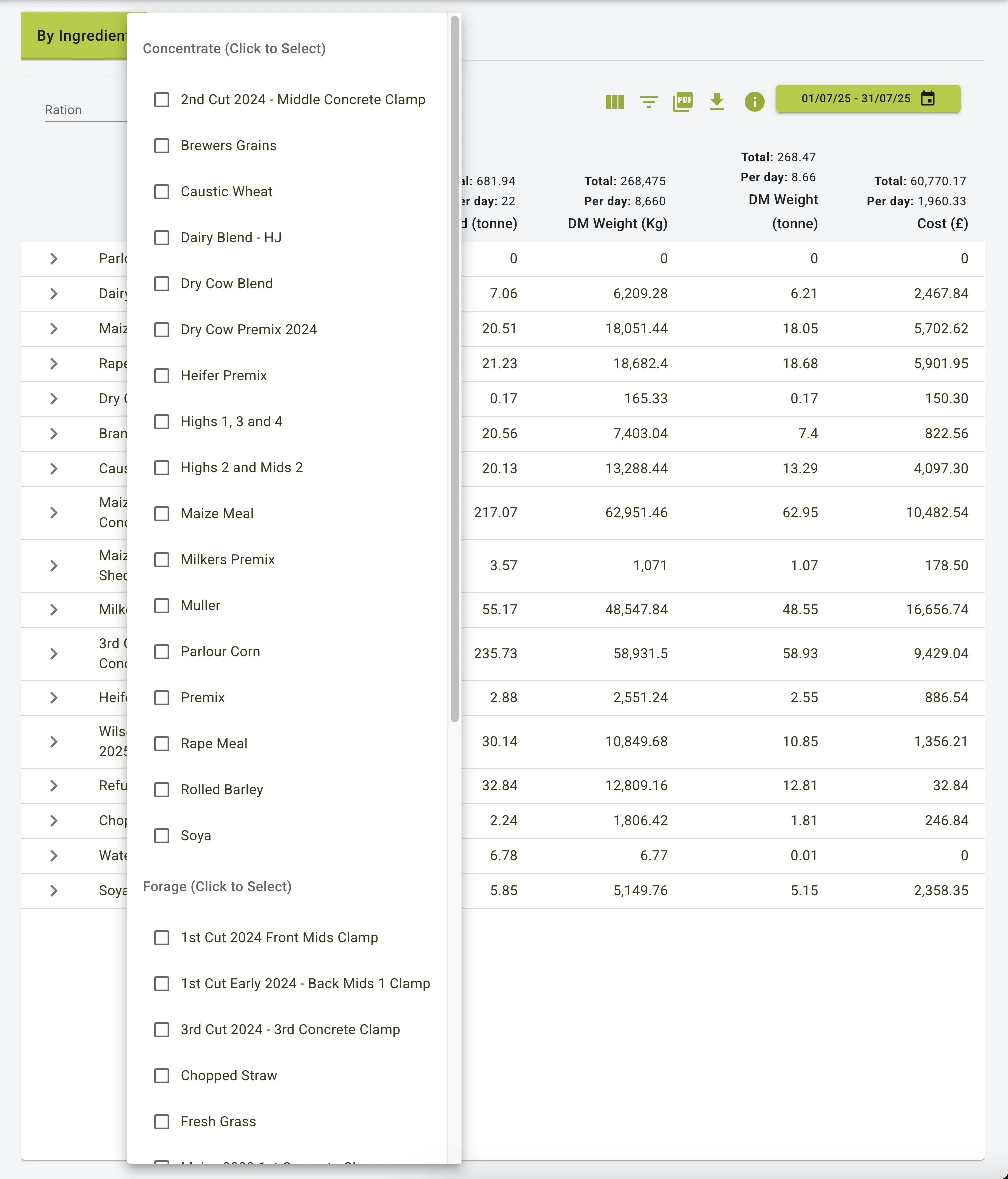
Ingredients are categorized as:
- Concentrate: Grains, premixes, and processed feeds
- Forage: Various cuts of silage, grass, and roughage sources
By Day
Main Features
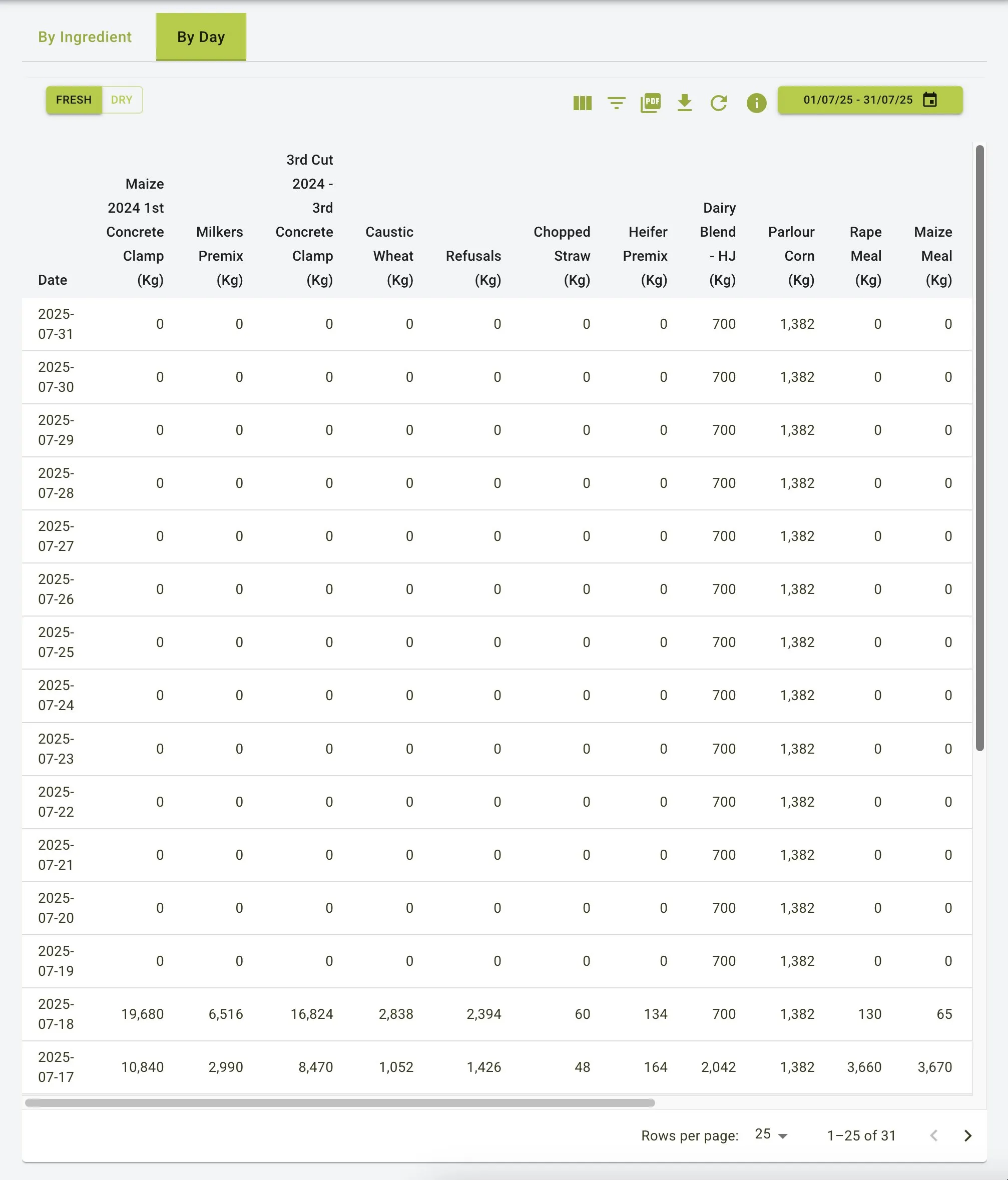
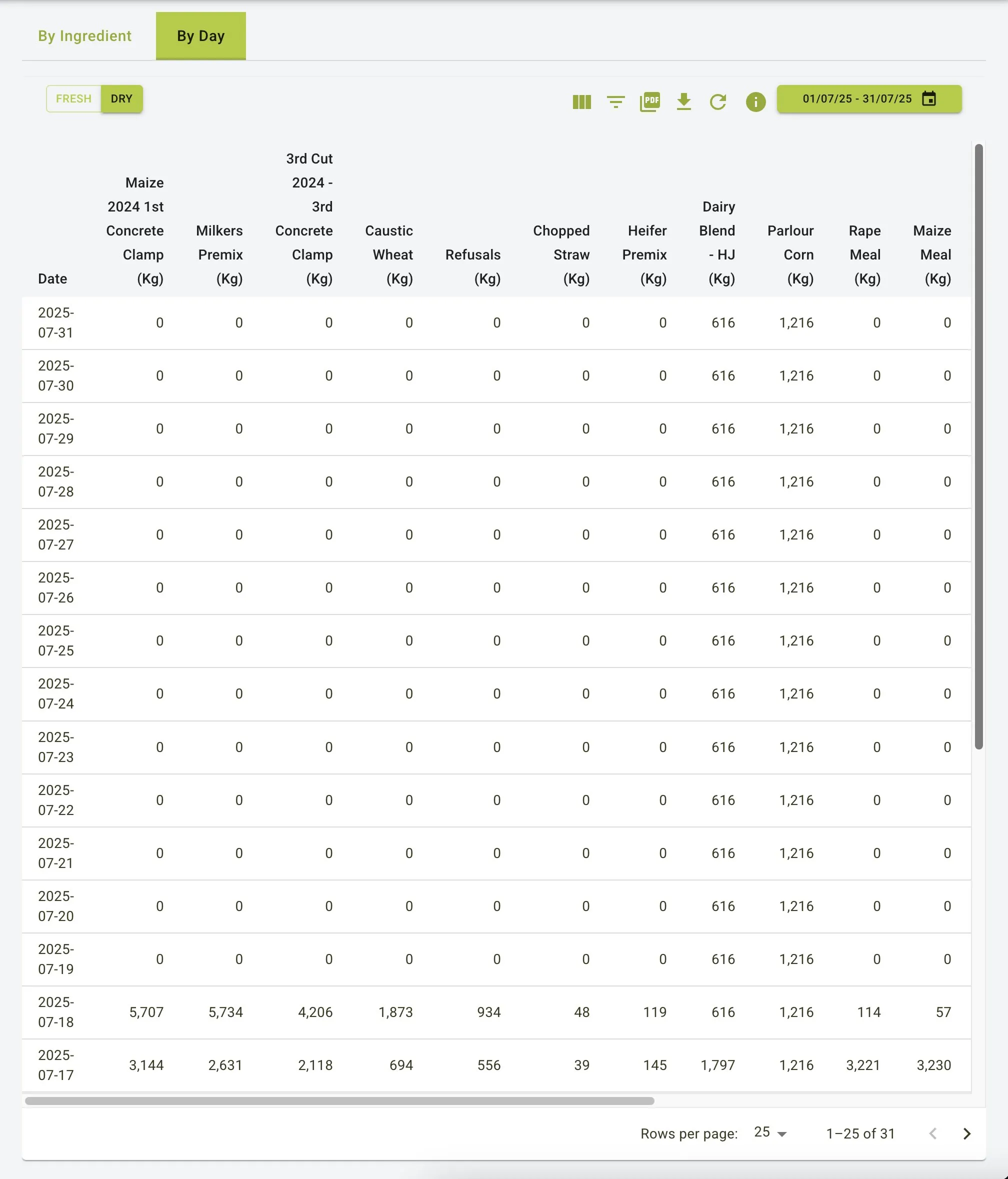
- Displays daily summaries of all loaded mixes
- Shows ingredient usage broken down by day
- Provides toggle between fresh weight and dry matter weight views
- Enables identification of feeding patterns and anomalies
By Day Tab View - Fresh Weight
By Day Tab View - Dry Matter
View Options
- Toggle between
FRESHandDRYmatter views using the buttons at the top left - Each view maintains the same date-based structure but displays different weight values
Daily Data Display
Each row represents a specific date with columns showing:
- Date: The specific calendar day
- Individual Ingredients: Weight used for each ingredient on that day
- Pagination: Navigate through multiple pages of daily records
- Rows per page: Adjustable display density (25 rows shown by default)
Additional Features
- Date Range Selector: Narrow down results to a specific date range for analysis with an intuitive date picker.
- Export Options:
- Export data in PDF format for reporting
- Download as Excel spreadsheet for further analysis
- Save visual charts and graphs
- Print reports directly from the interface
- Refresh Data: Update data display with the latest information
Practical Use Cases
Feed Usage Analysis
- Track ingredient consumption patterns over time
- Identify seasonal variations in feed usage
- Monitor high-cost ingredients to control expenses
Operator Performance Evaluation
- Assess loading accuracy across different operators
- Identify training needs based on accuracy metrics
- Recognize consistently high-performing staff
Cost Monitoring and Budgeting
- Track daily and monthly feed expenses
- Analyze cost per ingredient to identify savings opportunities
- Project future feed costs based on historical data
Ration Optimization
- Compare actual vs. planned ingredient usage
- Identify which rations are most cost-effective
- Ensure consistent mix quality across different days
Summary
The Loaded Mixes feature serves as a powerful analytical tool for feed management and cost control. With its comprehensive views (By Ingredient and By Day), it enables users to:
- Track detailed ingredient usage across different time periods
- Monitor feed costs at both ingredient and daily levels
- Analyze operator performance through accuracy metrics
- Identify trends and anomalies in feeding practices
- Generate reports for management review and decision-making
By providing both summary and detailed information with flexible filtering options, the Loaded Mixes feature helps farm operations optimize feed efficiency, control costs, and maintain consistent feeding standards.