

Feed History
Description
The Feed History Report provides a visual and interactive representation of feed usage over a selected period of time. Users can analyse the feed types given to their cattle, customise the data view by pen, and explore specific metrics such as feed As Fed or Dry Matter. The report is designed for flexible data exploration with customizable filters and visualization options.
Key Features
View Options
-
Feed Metrics:
- TOTAL: View the total feed quantities
- BY ANIMAL: View feed consumed per animal
- AS FED: View feed data as fed
- DRY MATTER: View feed data in dry matter weight
-
Date Range Selection:
- Customize the date range for analysis using the date range picker
- Default view shows the most recent data
Interactive Chart:
- Stacked Area Chart: Visualize feed usage trends over time with different colors representing different feed types
- Toggle Controls:
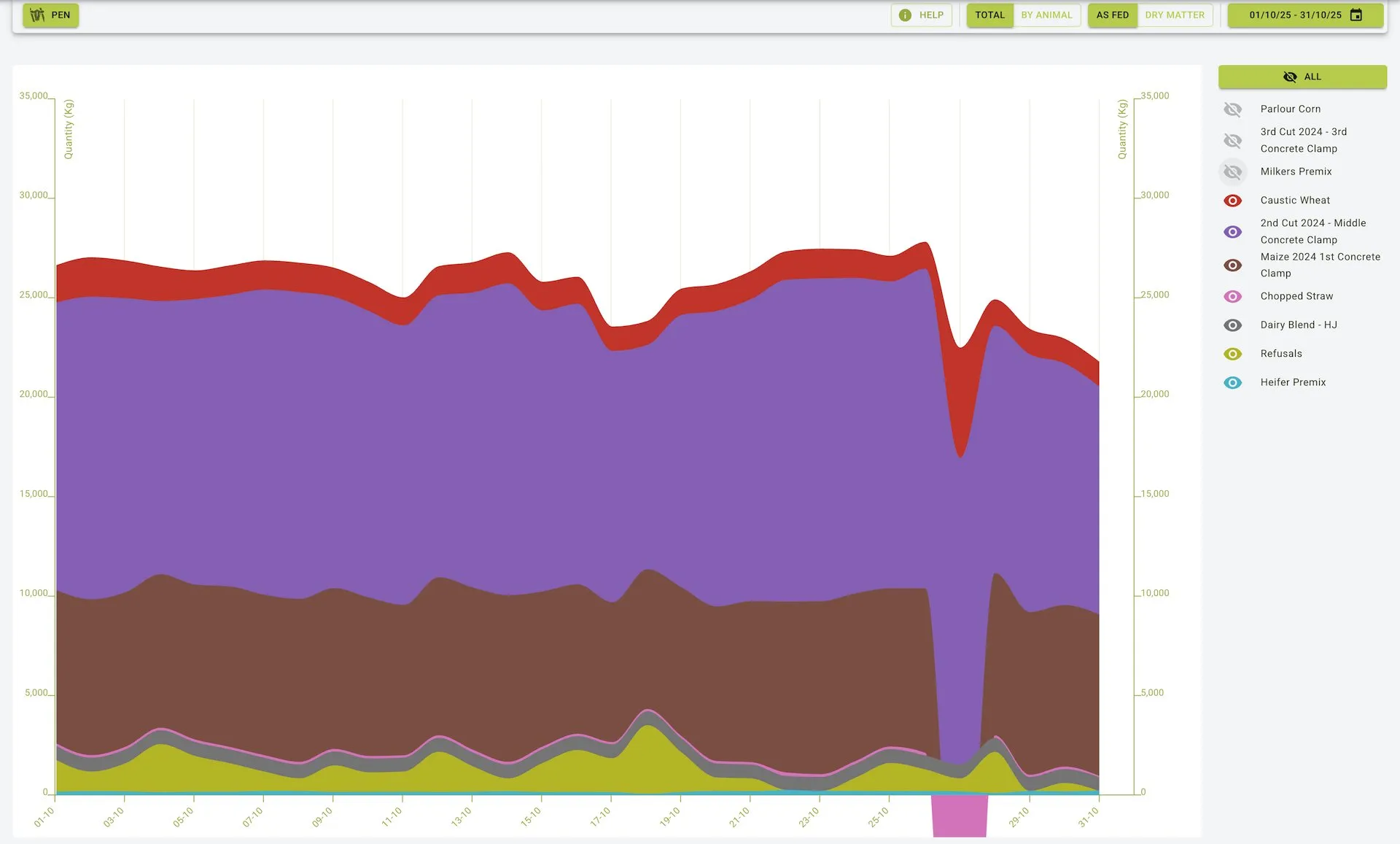
- Use the ALL button at the top to show/hide all feed types simultaneously
- Toggle individual feed types on/off by clicking the eye icon next to each feed in the legend
- Hover Details: Hover over the chart to see specific quantities for each date
Feed Legend:
- Color-coded display of all feed ingredients used in the selected period
- Interactive toggles with eye icons to show/hide individual ingredients
- Quantity indicator showing the amount of each ingredient used for the selected date point
Feed History Chart View:
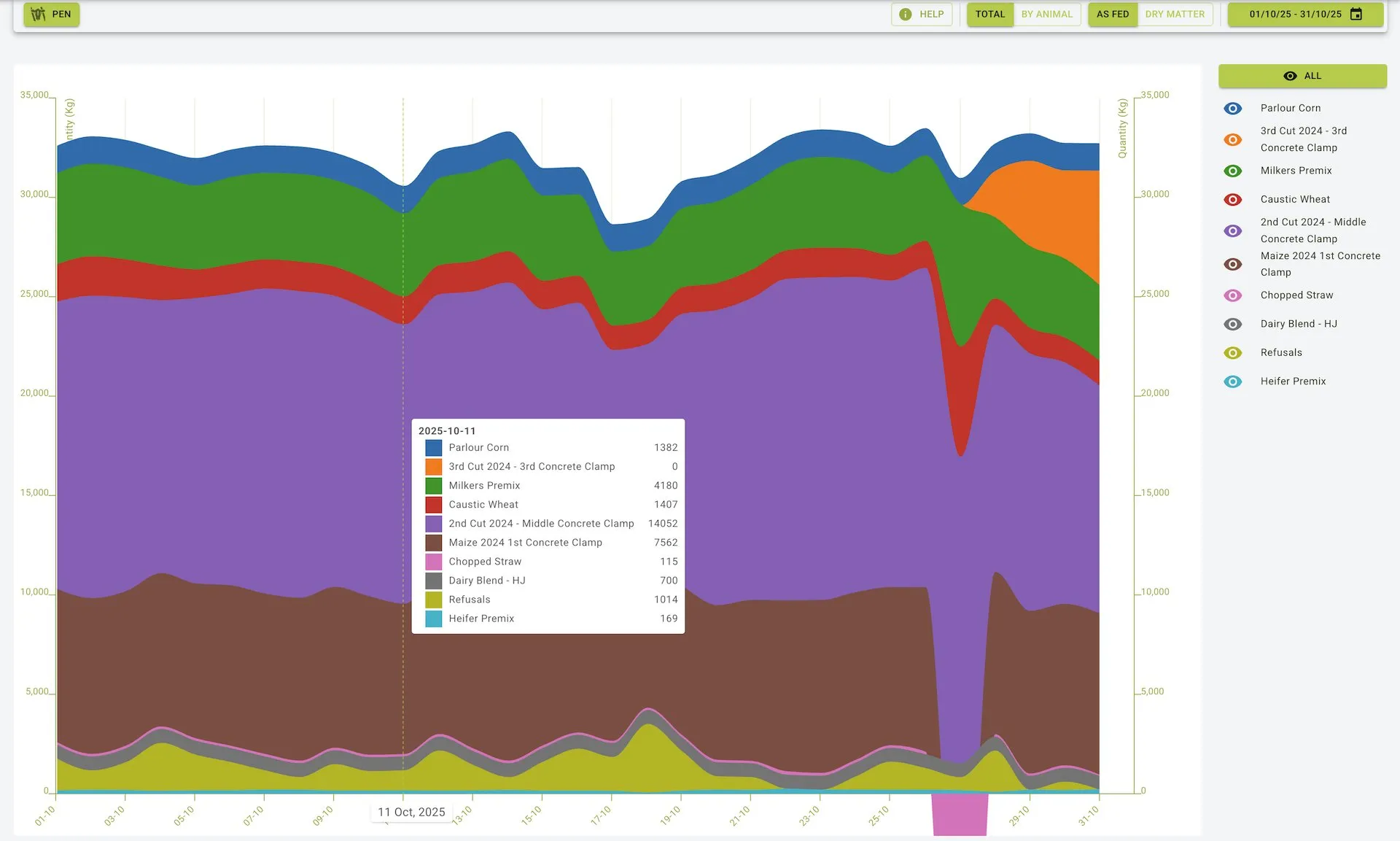
Chart Components
- Y-Axis: Displays feed quantity (Kg) with dual scales for total feed and by animal
- X-Axis: Represents the timeline based on the selected date range
- Feed Type Layers: Each coloured area represents a specific feed ingredient:
- Parlour Corn: Blue layer (top)
- Bramell’s Silage: Orange layer
- Caustic Wheat: Green layer
- (e.g.)
- Legend Toggles: Eye icons next to each feed type allow showing/hiding specific ingredients
Feed History Filtered Chart View:
Practical Use Cases
Analysing Feed Trends
- Monitor consumption patterns over time for different feed ingredients
- Identify seasonal variations in feed usage
- Track the introduction of new feed types or removal of others
Feed Strategy Optimization
- Compare feed composition changes with production metrics
- Identify optimal feed mixes based on historical performance
- Plan ingredient purchases based on historical usage patterns
Nutritional Analysis
- Monitor the balance of ingredients over time
- Compare
As FedversusDry Matterconsumption patterns - Analyze per-animal consumption metrics for different groups
Budget Management
- Correlate feed usage patterns with cost data
- Identify opportunities for feed cost optimization
- Track the impact of ingredient substitutions on overall feed program
Summary
The Feed History feature provides a powerful visual tool for analysing feed usage patterns over time. With its interactive chart, customizable views, and detailed ingredient breakdown, it enables farm managers to:
- Track feed ingredient usage across selected date ranges
- Toggle between total and per-animal consumption metrics
- Compare feed as-fed versus on a dry matter basis
- Visualize the proportion of different ingredients in the overall feed program
- Identify trends, patterns, and anomalies in feed consumption
By leveraging this tool effectively, farm operations can optimize their feeding strategies, manage costs more efficiently, and make data-driven decisions about their nutrition programs.