Yields
Description
The Yields page shows harvested material by field and by stock. Use the view toggle to switch between menu and list layouts, and the date picker to filter by period.
Features
Fields
This table’s core information about yields can be viewed here. The table columns include:
- Field: The field name involved in the yield.
- Area (ha): The area of the field in hectares (ha).
- Distance: The distance from the farm in meters (m).
- Harvests: The number of harvests for the field.
- Gross (Kg): The gross yield of the field in kilograms (Kg).
- Net (Kg): The net yield of the field in kilograms (Kg).
- Tara (Kg): The tara yield of the field in kilograms (Kg).
- Net (ha): The net yield per hectare of the field.
Additional Functionality:
- Clicking the field row reveals a dropdown with the following view:
- An overview of the field data in a nested table.
- Table columns include:
- In / Out: The type of stock event.
- Name: The name of the stock event.
- Gross (Kg): The gross yield of the field in kilograms (Kg).
- Net (Kg): The net yield of the field in kilograms (Kg).
- Tara (Kg): The tara yield of the field in kilograms (Kg).
Stocks
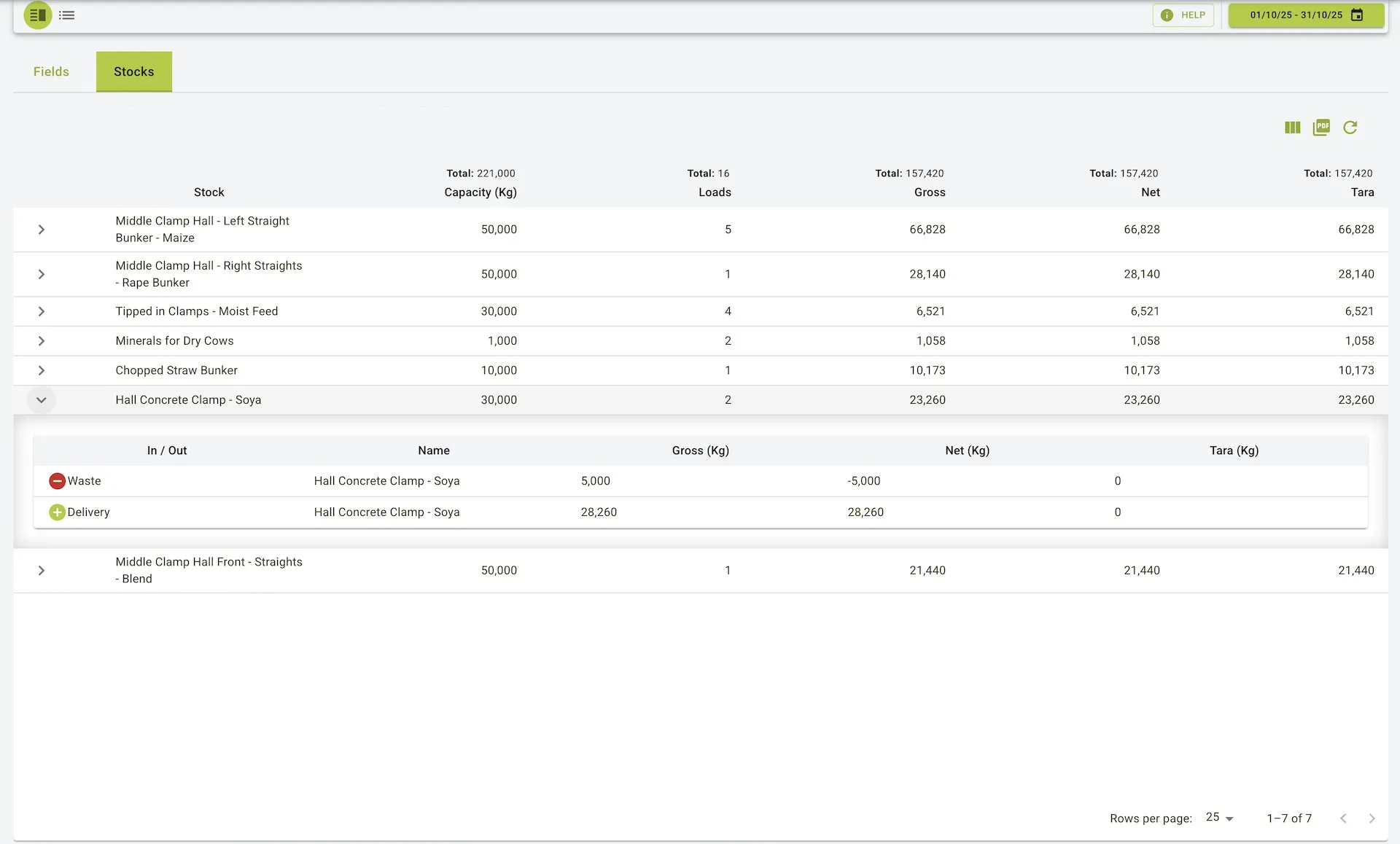
This table’s core information about yields can be viewed here. The table columns include:
- Stock: The stock name involved in the yield.
- Capacity: The maximum storage capacity of the stock.
- Loads: The number of loads for the stock.
- Gross: The gross yield of the stock.
- Net: The net yield of the stock.
- Tara: The tara yield of the stock.
Additional Functionality:
- Clicking the stock row reveals a dropdown with the following view:
- An overview of the stock data in a nested table.
- Table columns include:
- In / Out: The type of stock event.
- Name: The name of the stock event.
- Gross (Kg): The gross yield of the stock in kilograms (Kg).
- Net (Kg): The net yield of the stock in kilograms (Kg).
- Tara (Kg): The tara yield of the stock in kilograms (Kg).
Yields page view
Fields
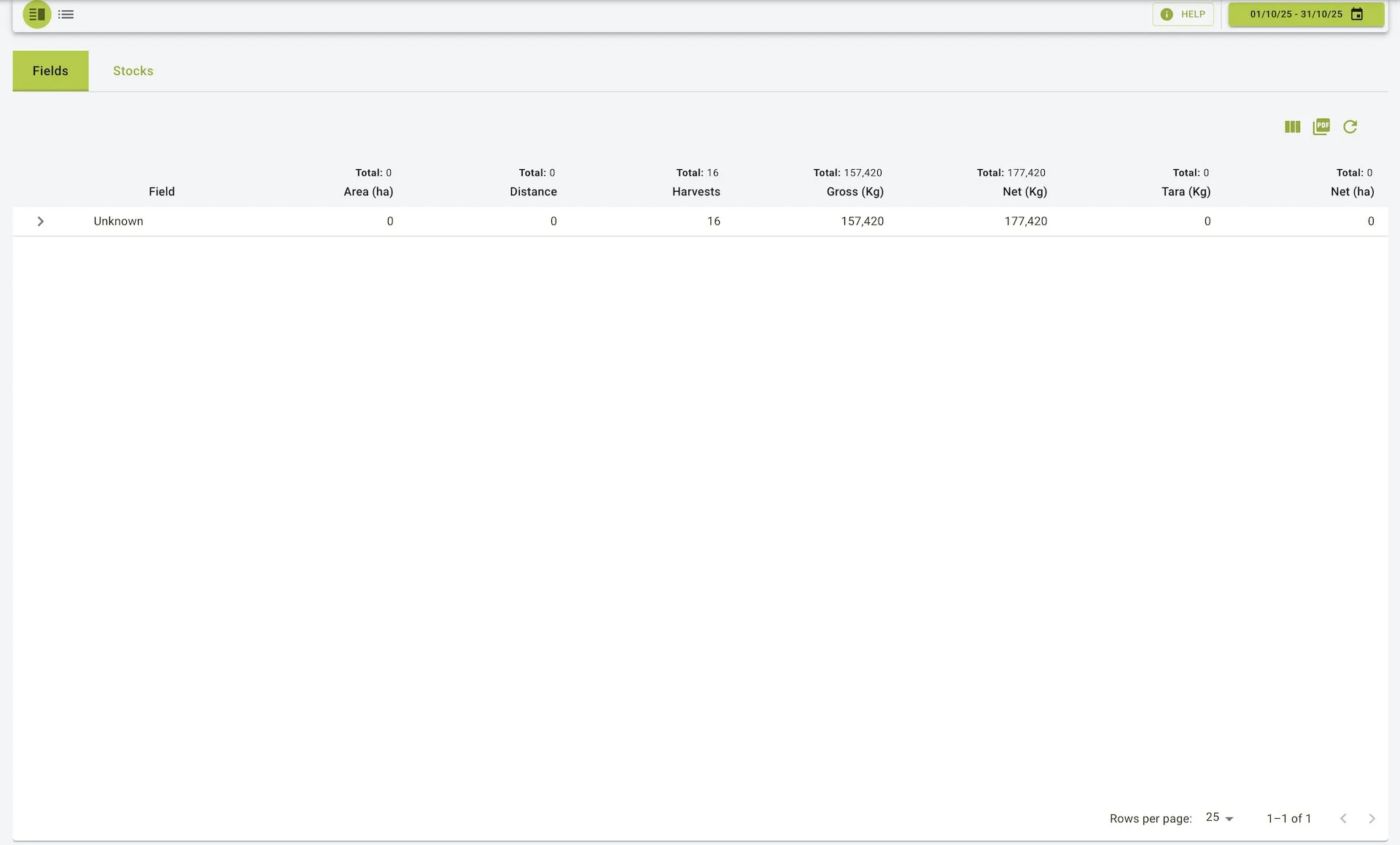
- Totals at the top show combined area (ha), distance, harvest count, gross/net/tara (Kg), and net per ha for the filtered period.
- Table columns: Field, Area (ha), Distance, Harvests, Gross (Kg), Net (Kg), Tara (Kg), Net (ha).
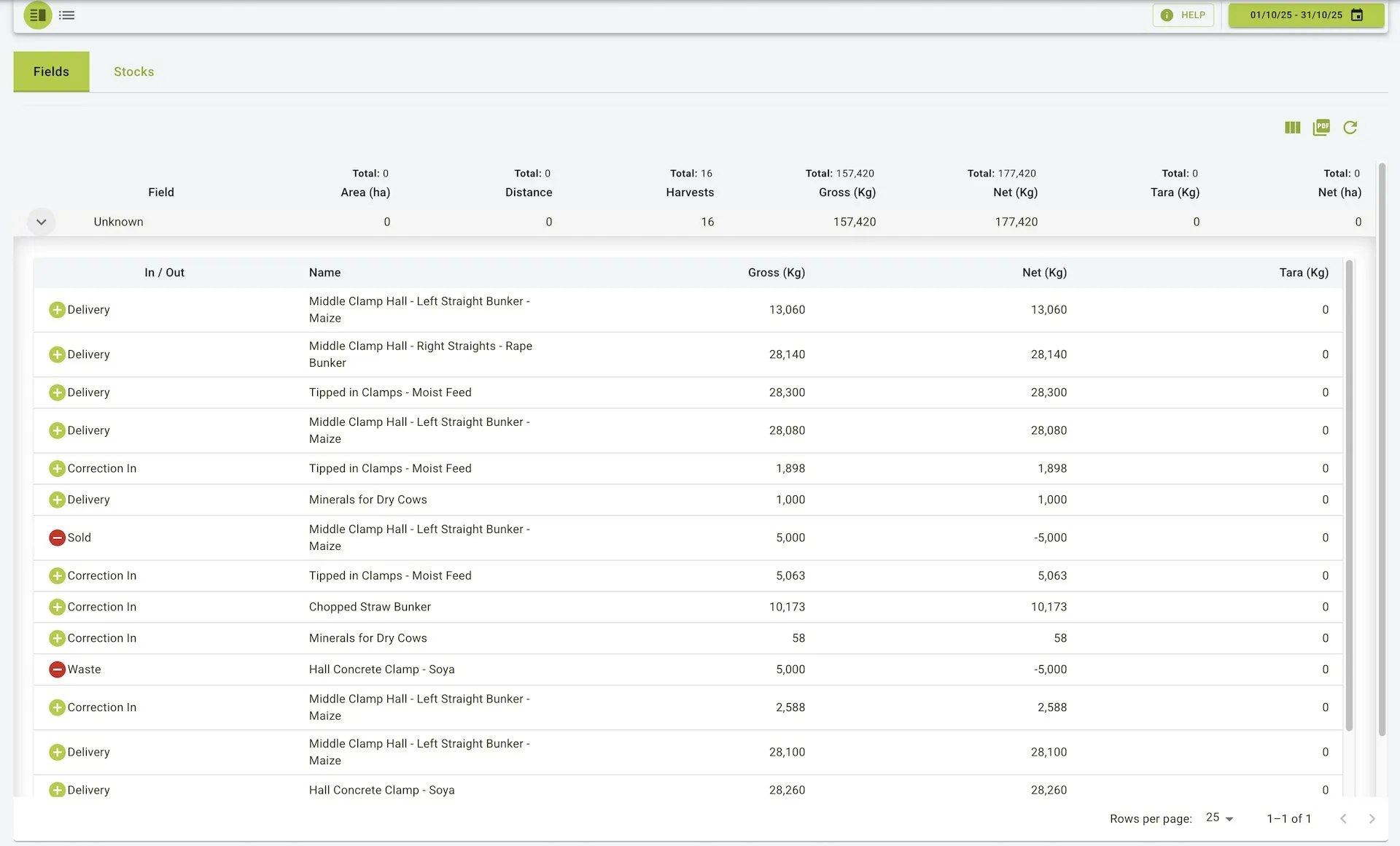
- Expand a row to see each load for that field. The nested table lists In / Out (delivery, correction in, sold, waste), Name, Gross (Kg), Net (Kg), and Tara (Kg). Outbound events show negative net values.
Stocks
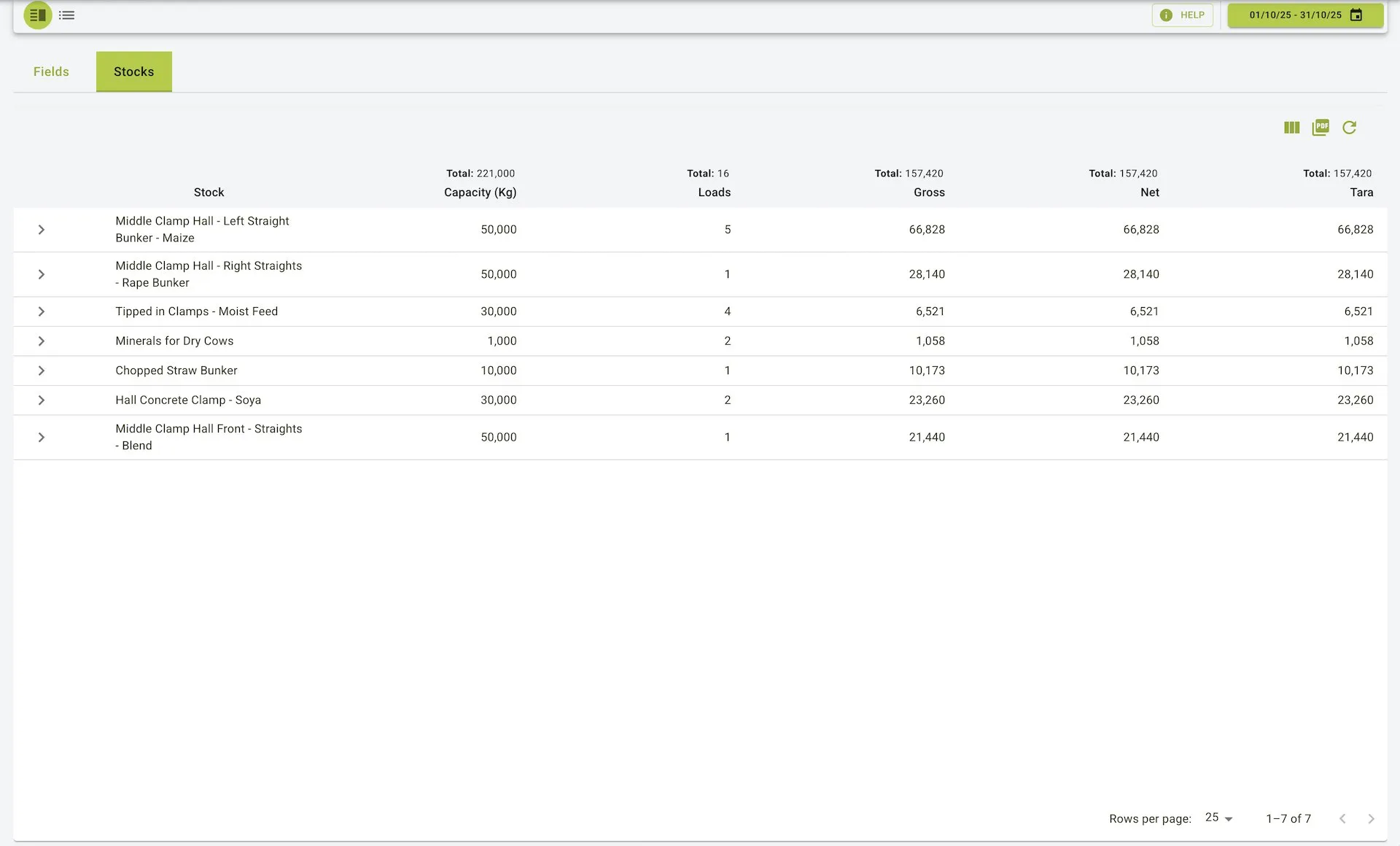
- Totals at the top show combined capacity, loads, and gross/net/tara (Kg) across the filtered period.
- Table columns: Stock, Capacity (Kg), Loads, Gross, Net, Tara.
- Expand a stock to view its individual in/out events with In / Out, Name, Gross (Kg), Net (Kg), and Tara (Kg). Waste or sold events appear with negative net values.
Yields List View
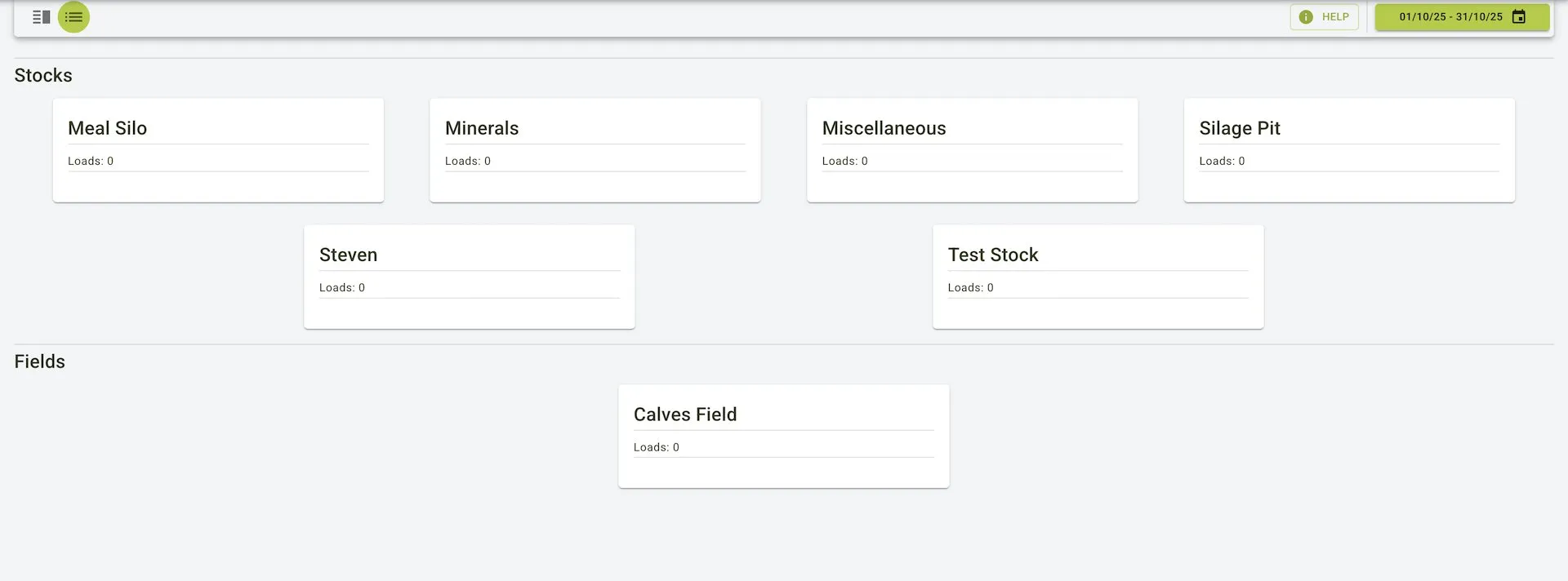
- Shows stocks and fields as cards grouped under separate headings.
- Each card lists the name and the number of loads for the selected date range.
- Use the date picker in the top bar to change the period; loads update to match the selection.