

How to create a Day Ration
Day Ration Feature
The Day Ration feature in Feedlync allows you to create a daily feed ration for your livestock. This feature is designed to help farmers and feed managers optimise their feeding strategies, ensuring that animals receive the right amount of feed throughout the day.
-
Rations → Feedplans:
- Navigate to the Rations section in Feedlync.
- Scroll down to the Feedplans Tab to view the feedplan.
-
Create a Day Ration:
- Click on the Set Day Ration button to enable.
- This will give you the option to set a Day ration mix size.
-
Set Day Ration Mix Size:
- Enter the desired Day ration mix size.
- Click on the Save button to save your changes.
Day Ration Mix Size
The Day Ration Mix Size is the total amount of feed that will be mixed and fed to the animals in a single day. This is automatically adjusted based on the total fresh amount of feed that is available.
Example
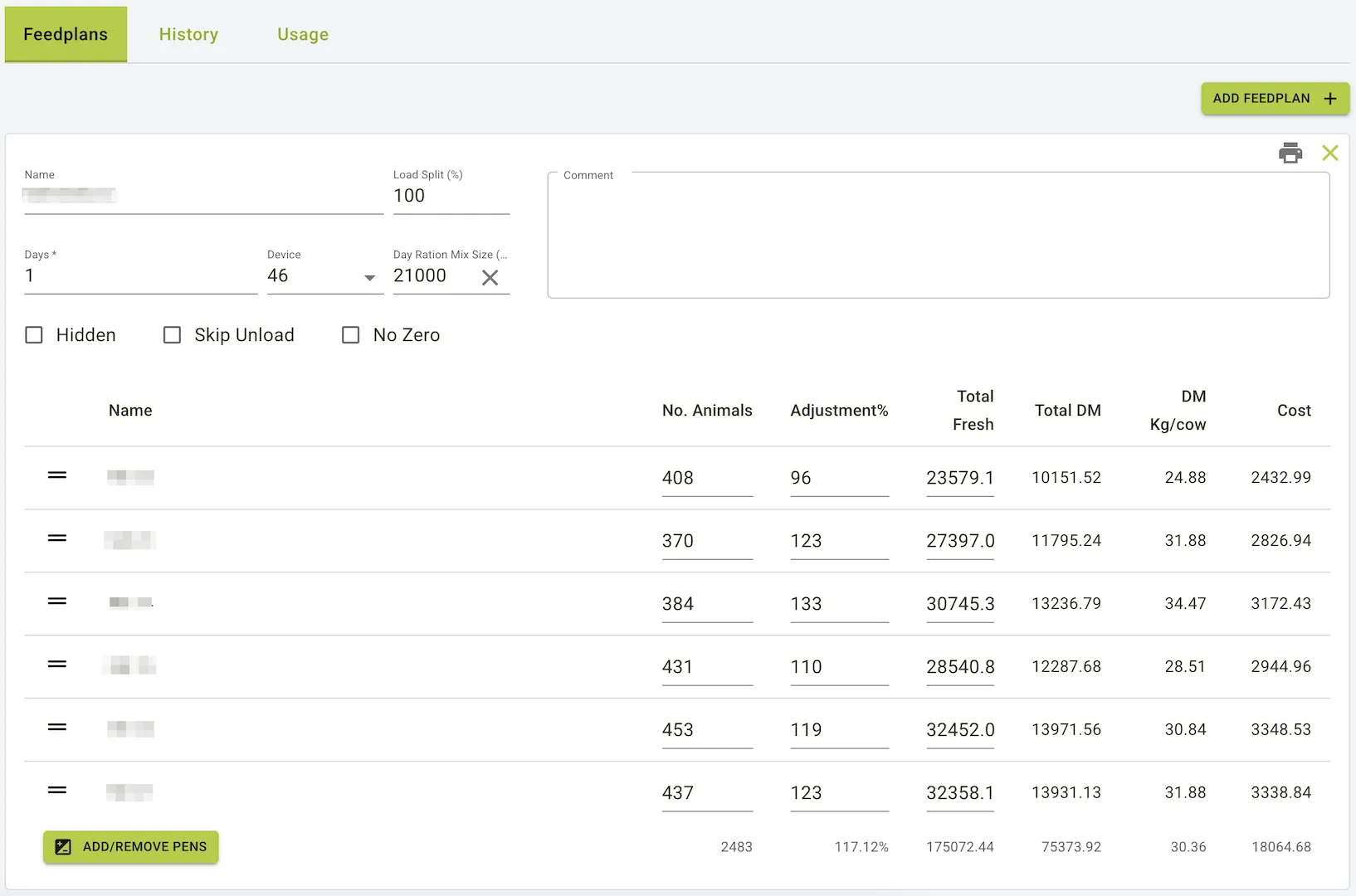
- If you set the Day Ration Mix Size to 21000 kg, and your Total Fresh is 175000 kg, the system will automatically calculate the number of Loads in a day that need to be fed to each pen of animals, which in this example equal to about 8.3 Loads.
- From this point on, the system will automatically update the remaining amount of feed that needs to be fed to each pen of animals, based on the Day Ration Mix Size and the number of Loads in a day.
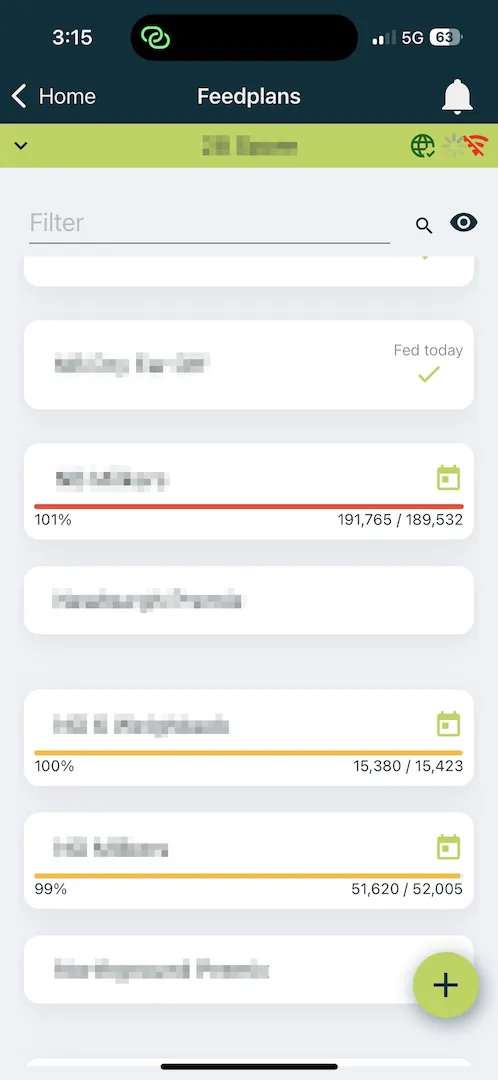
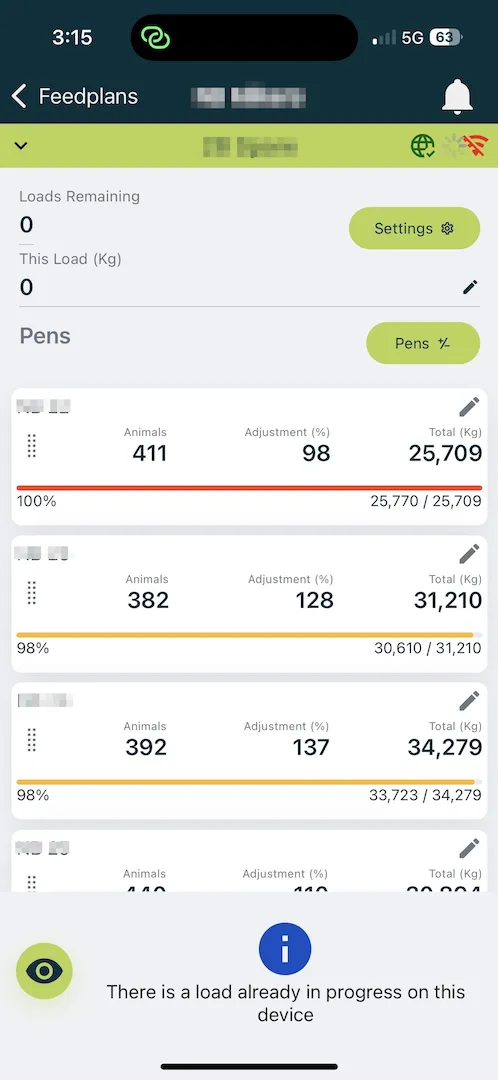
- This is tracked in the Feedplan section of the mobile app, where you can see how much feed is left to be fed to each pen of animals.
Day Ration on the Feedlync Portal
- In the Feedlync Portal, you can view the Day Ration Mix Size by going to the Rations section and clicking on the Feedplans Tab.
- Here, you will see the Feedplan that has been set or to be set up, along with the amount of feed that needs to be fed to each pen of animals.
Mobile Tracking of Day Ration
- In the mobile app, you can track the Day Ration by going to the Feedplans section.
- Here, you will see the Day Ration that has been set, along with the remaining amount of feed that needs to be fed to each pen of animals by the progress bar along the bottom of the list item.
- This allows you to easily monitor the feed that has been fed and the amount that is left to be fed, ensuring that you are always on top of your feeding strategy.
- You can also adjust the Day Ration as needed, based on the amount of feed that is available and the number of animals that need to be fed.
 |  |
|---|