How to record leftovers in rations
Introduction
The Leftovers feature in Feedlync allows farmers to record the amount of feed left over after feeding animals. This guide explains how to record leftovers and manage the details.
Recording Leftovers
To record leftovers, follow these steps:
- Create a new ingredient, select New +.
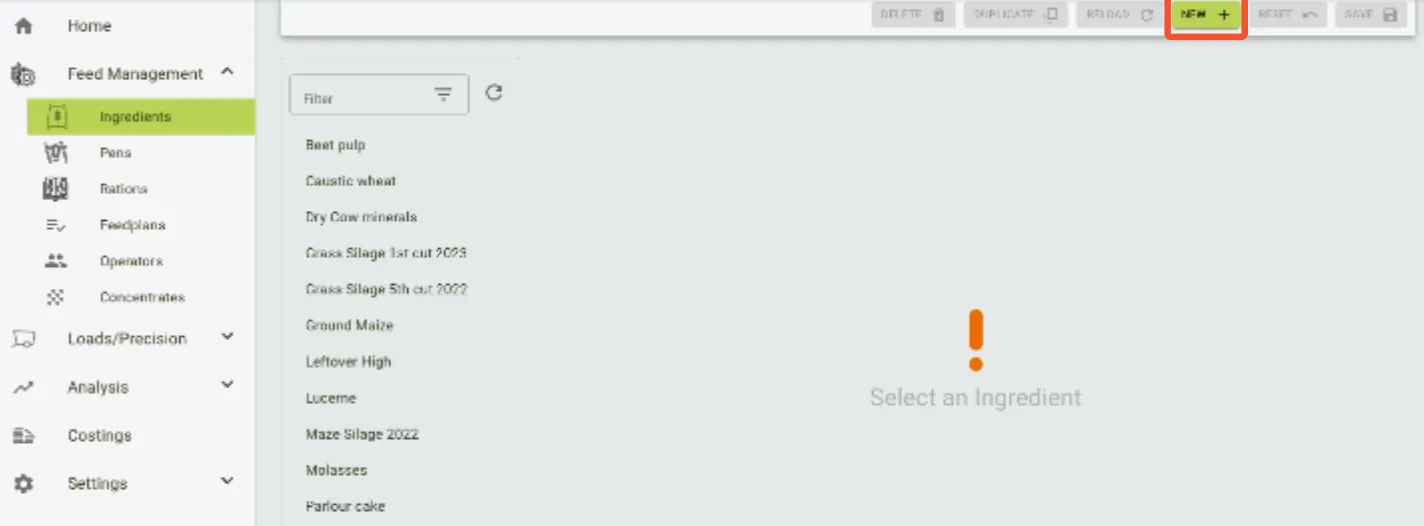
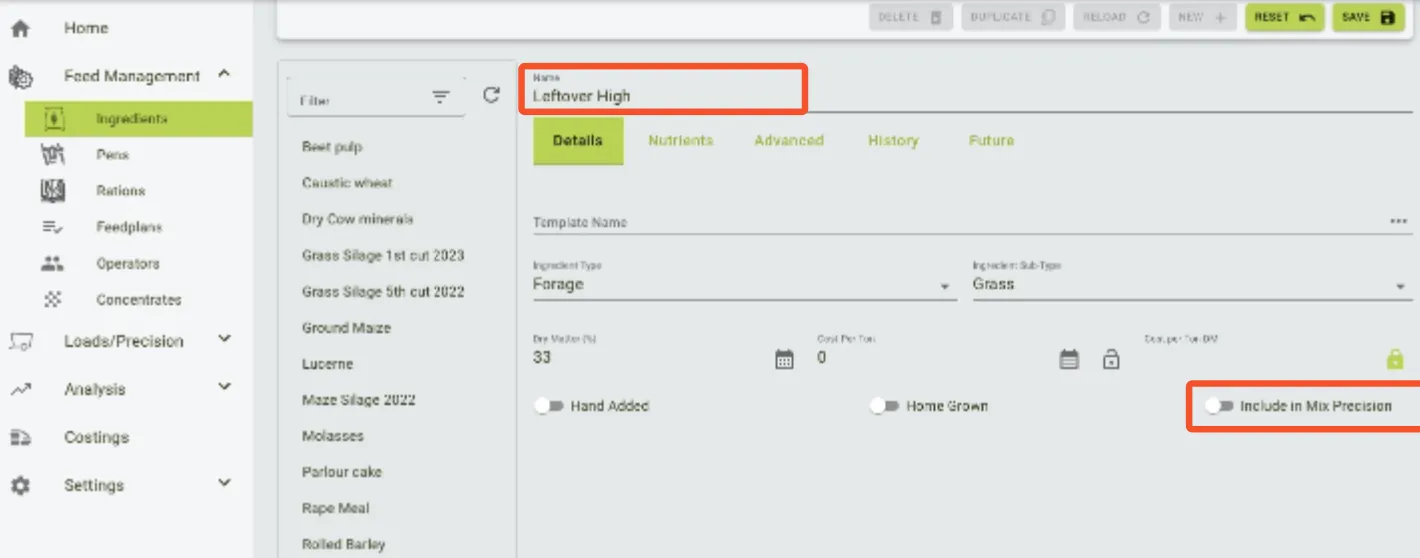
- Name the ingredient.
-
The following fields are required:
- Ingredient type
- Sub-type
- Dry-matter
-
Turn off Include in Mix Precision.
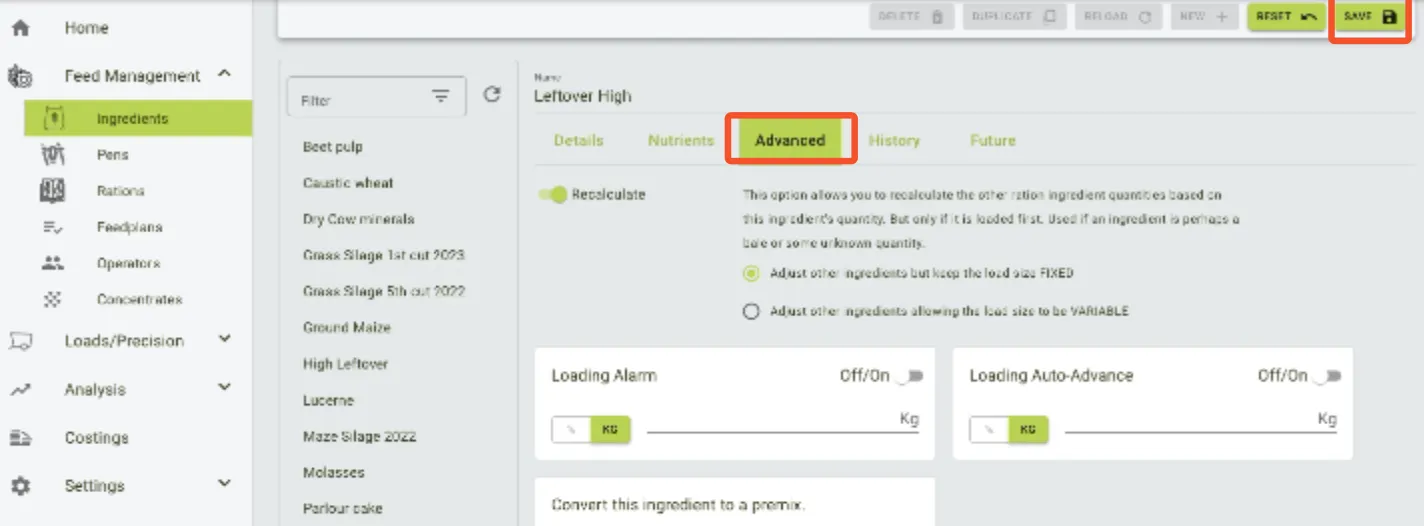
- Choose the advanced options and select Recalculate if needed.
- Hit
Save.
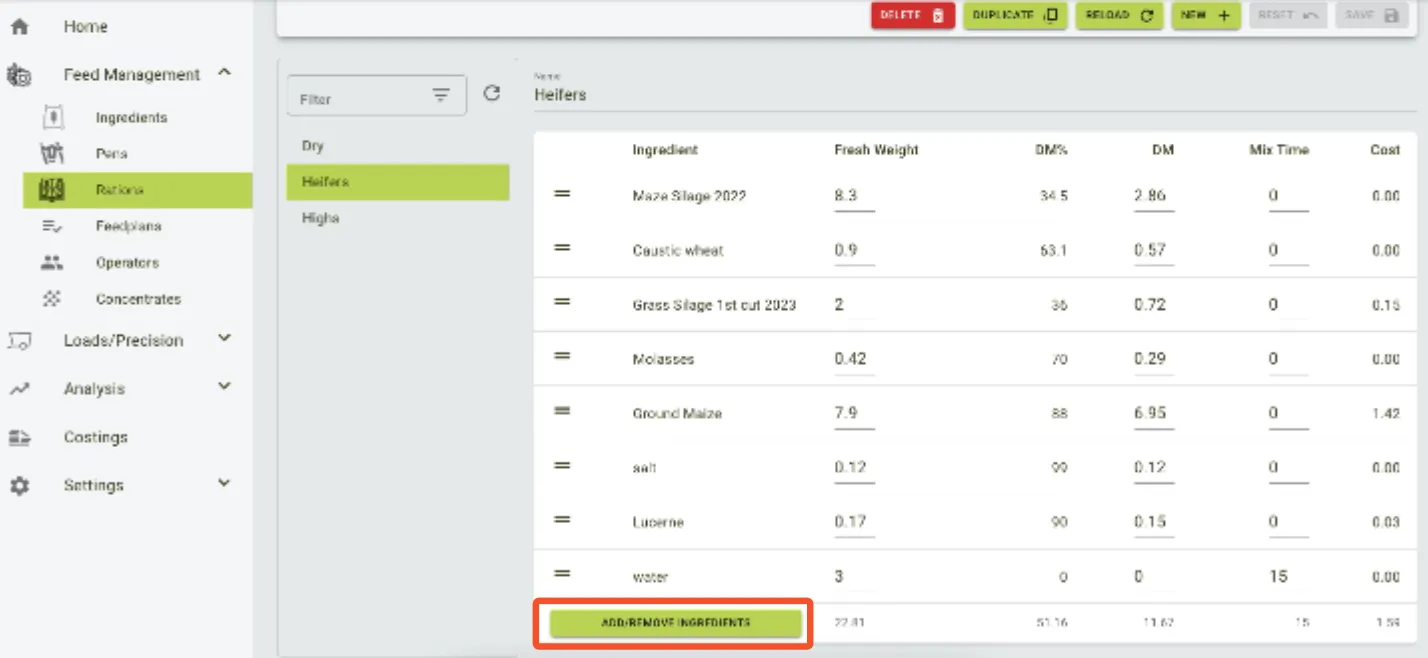
- Go to Rations and choose where the leftover will be used.
- Add the previously created ingredient to the list.
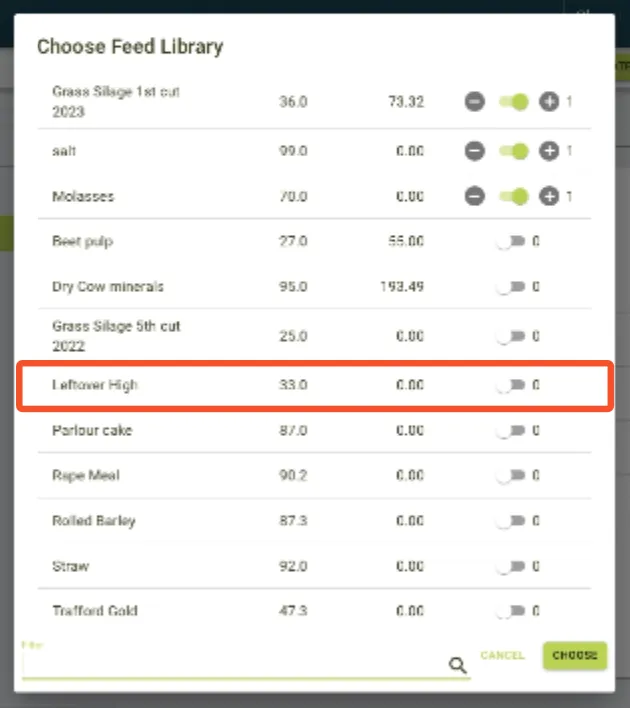
- Activate the ingredient by switching on the toggle.
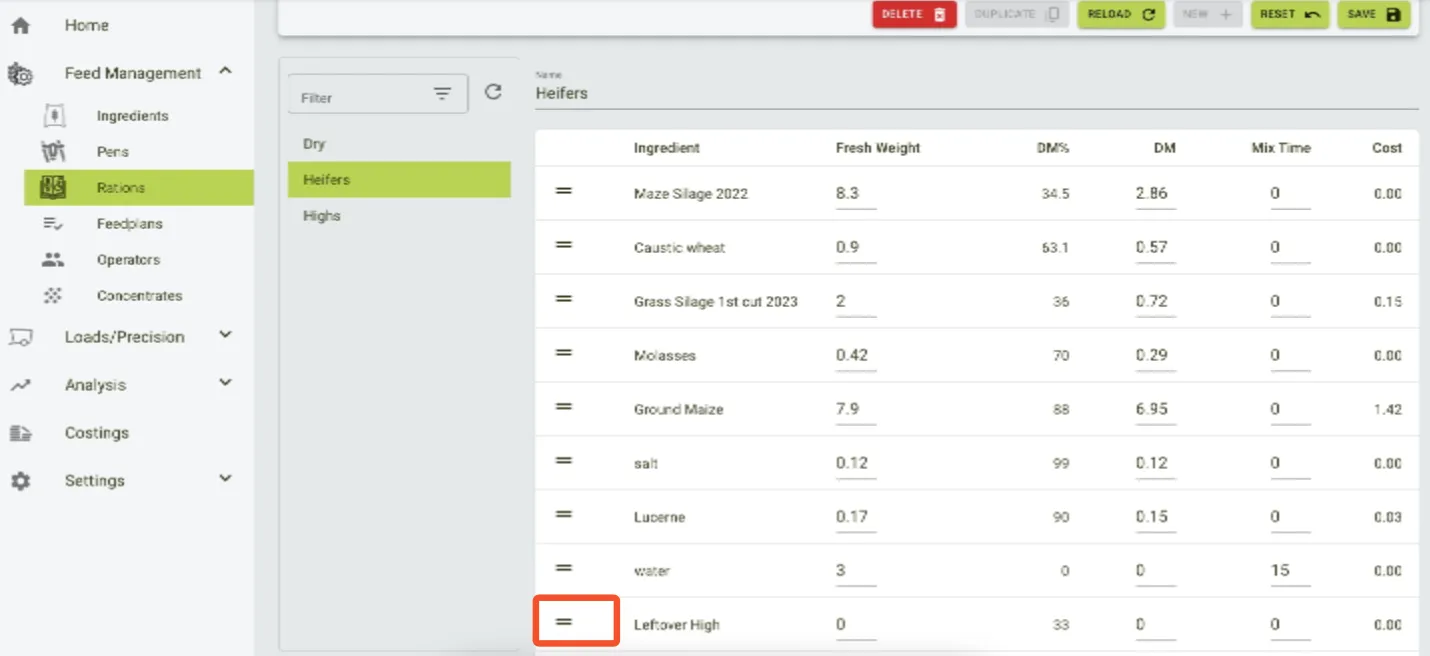
- Move the leftover ingredient to the top of the list by holding down the two lines and dragging the item up.
- The leftover ingredient has to be the first item in the list.
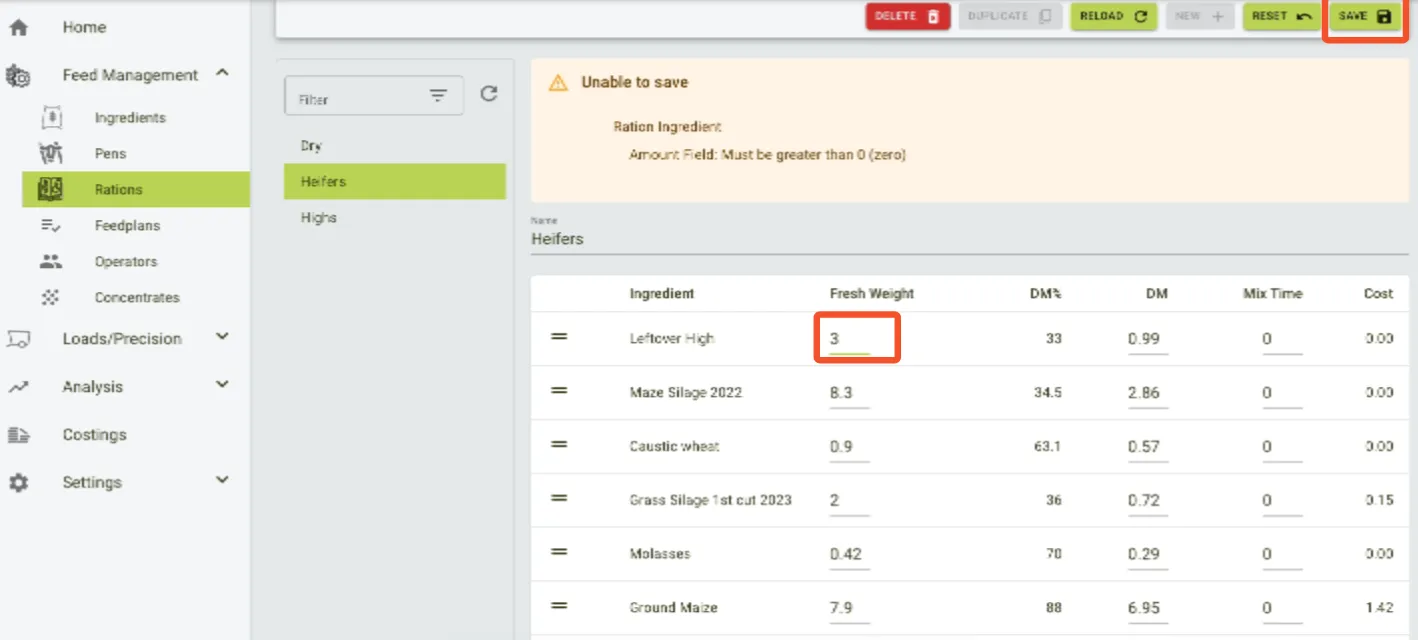
- Set the weight of the ingredient greater than zero.
- Hit
Save.
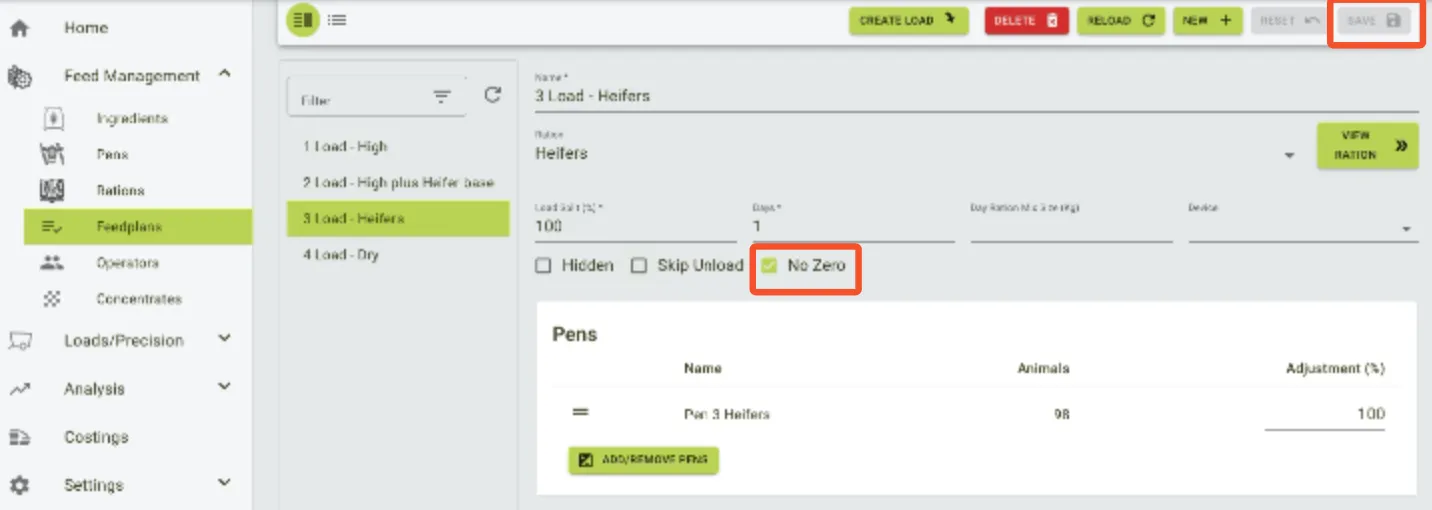
- Go to Feedplans and select where the ration is being fed. Tick the
No Zerobox.
-
This will ensure that the weight of leftovers staying in the mixer will be registered.
-
Hit
Save.