Adjusting the ration size on mobile
Introduction
The Ration Size feature in Feedlync allows users to adjust the size of the ration for animals. This guide explains how to adjust the ration size on mobile.
Adjusting the Ration Size
-
Open the Feedlync app on your mobile device and log in.
-
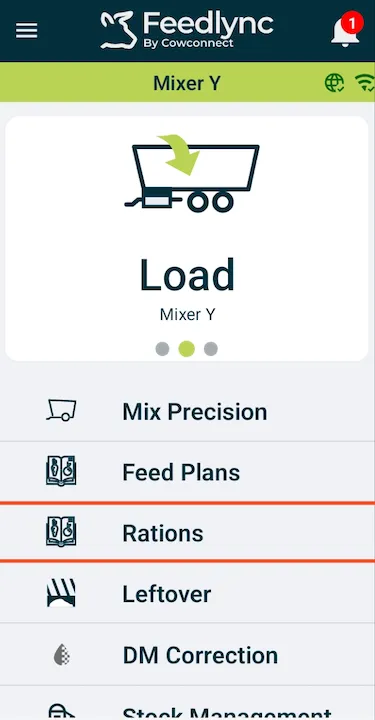
Select the Rations option from the list.
-
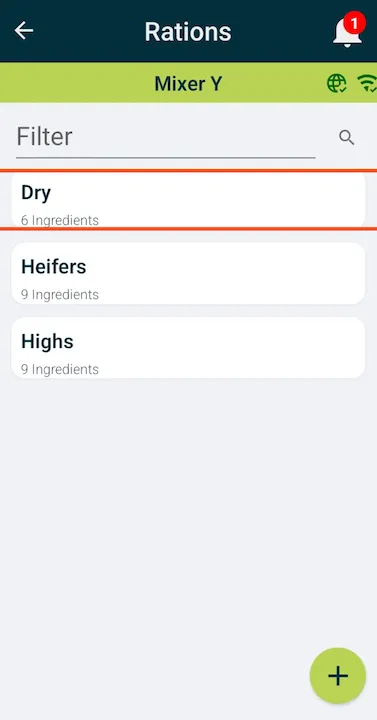
Pick the ration you would like to adjust.
-
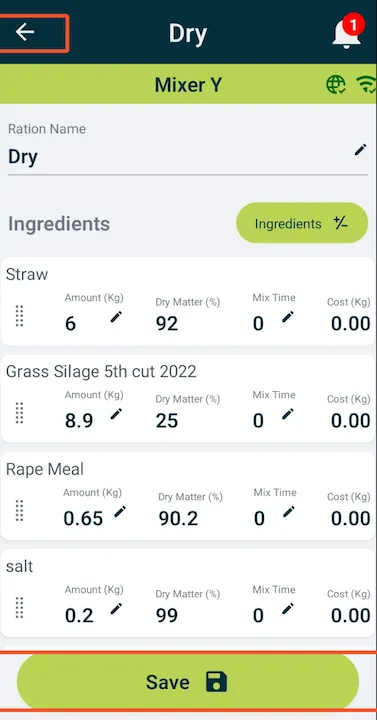
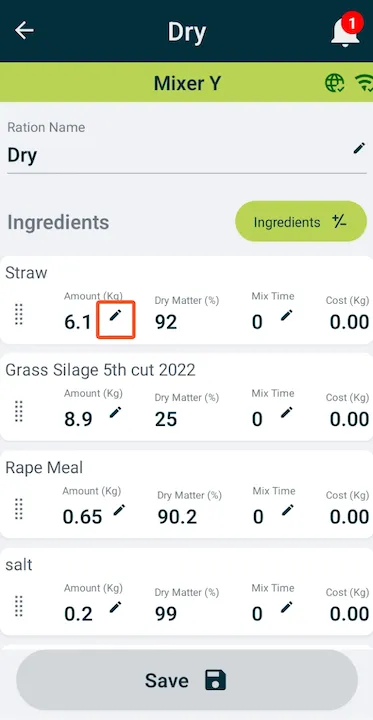
Click the pencil icon next to the amount to correct it.
-
Use the minus and plus buttons to adjust the ration size. Press the
Updatebutton to save the changes.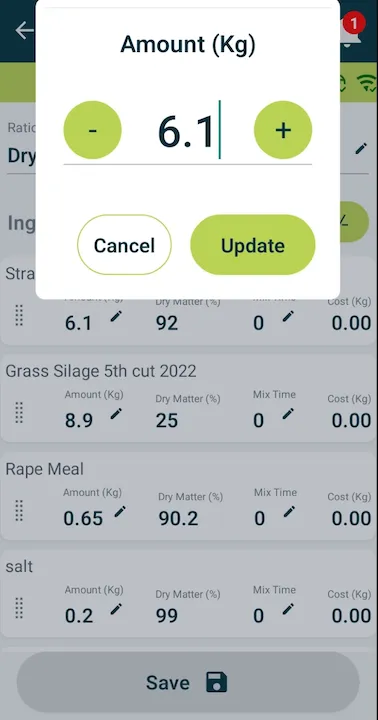
-
For precision, you can also enter the exact amount by taping the field and typing the new amount via the keypad. Then press
Doneto save the changes.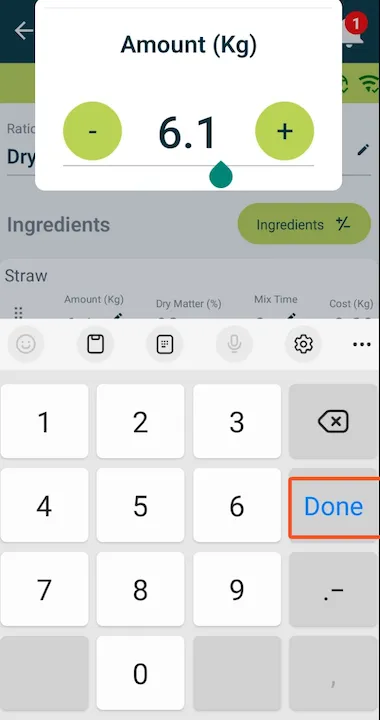
-
If all the amounts are correct, press the
Savebutton to save the changes.
- Hitting the back arrow can navigate you back to the front page.