

How to set dry matter correction
Introduction
This guide will show how Dry Matter Correction allows users to adjust the dry matter of an ingredient with the ingredient type of Forage.
Users can set the period in which they want the dry matter of the ingredient to last (example: 1 day, 2 days etc). Once the time period has lapsed then the ingredient will revert back to the dry matter it was previous to the dry matter correct that was made on the app
Setting the dry matter correction
To set dry matter correction, follow these steps:
-
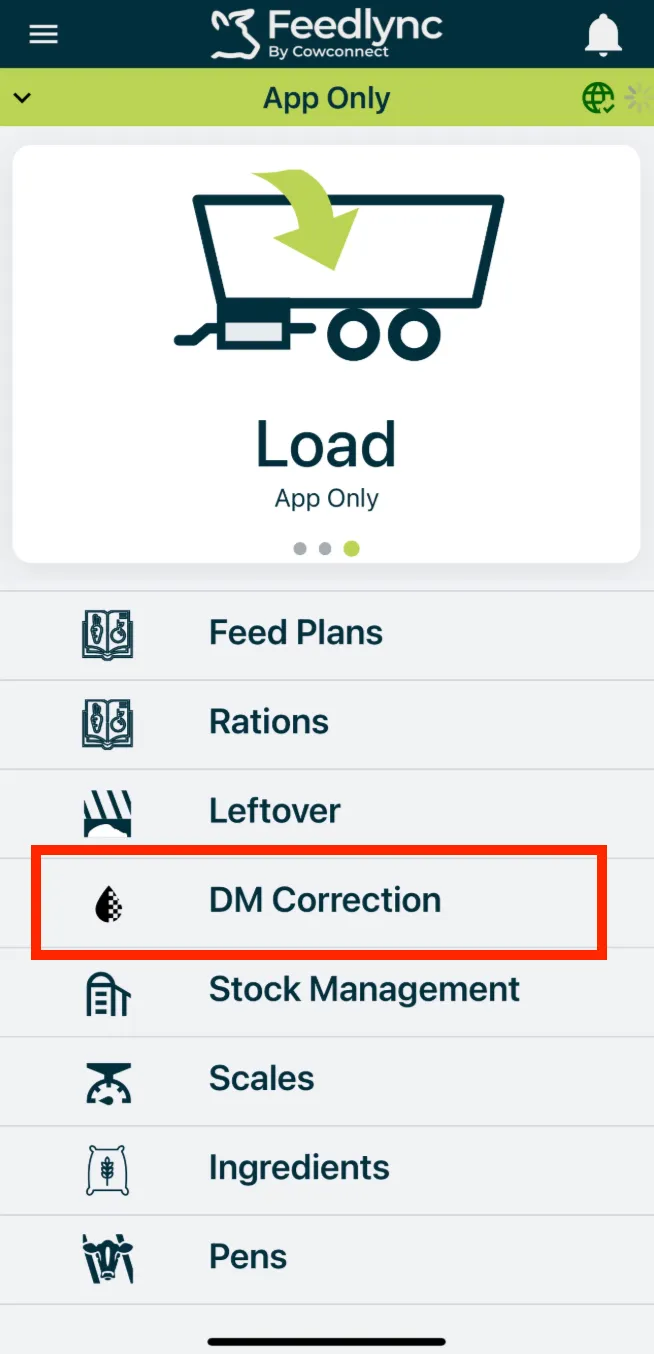
Go to the DM Correction page on the app by clicking on DM correction on app home screen.
-
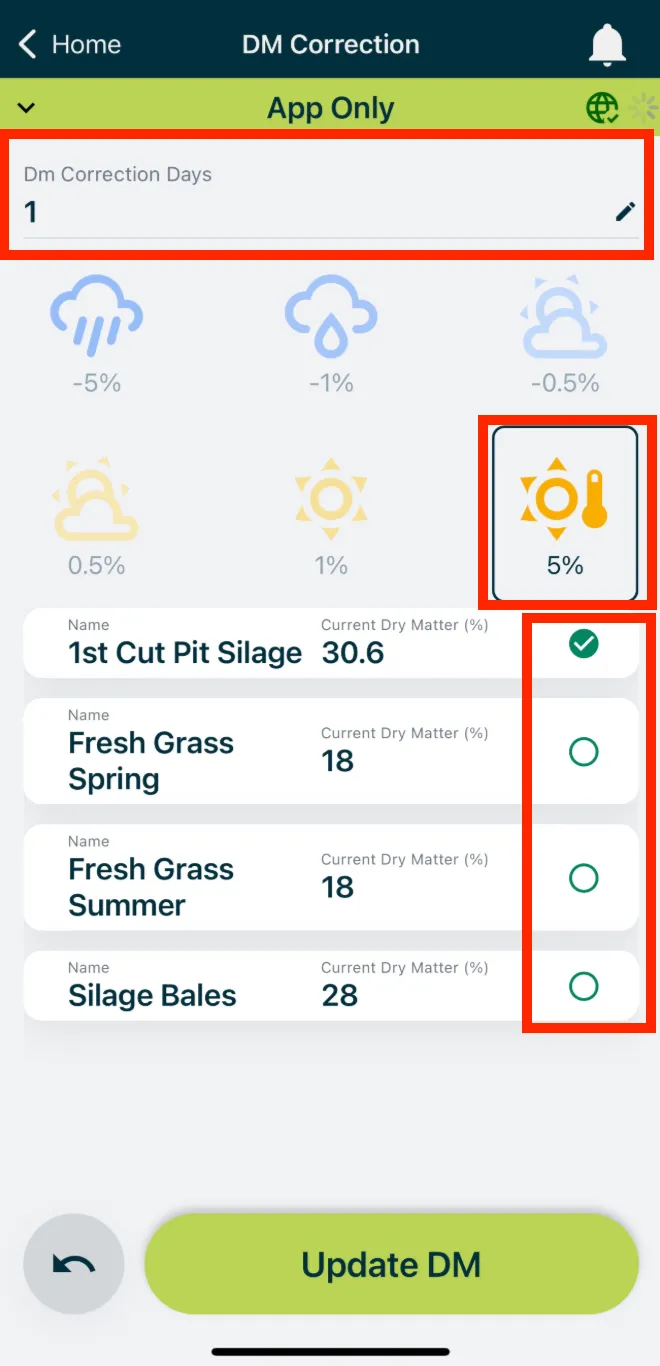
Select the ingredients that you want to adjust the DM percentage for.
-
Click on any of the weather icons that you think best suits the current weather event you are in.
-
Set the Dm correction days. This is the period for which you want the DM correction to last.
Finally click Update DM to save the changes.